


If you're still managing a facility with a cabinet full of keys, handwritten key sign-outs, and too many people who “might still have a copy,” you're already dealing with the limits of old-school security. The problem usually isn't just theft or unauthorised entry. It's delay, uncertainty, and the fact that nobody can answer a simple question quickly: who had access, to which door, and when?
That's where what is access control system becomes a practical operations question, not just a security one. An access control system replaces manual key management with electronic rules. It decides who can enter, where they can go, and when that access is valid. Done properly, it also creates a record of activity, supports compliance, and reduces the disruption that comes from rekeying doors or chasing credentials.
For Canadian commercial and industrial facilities, this isn't a niche upgrade. The global access control market is valued at USD 12.72 billion in 2026 and is projected to reach USD 26.22 billion by 2034 at a 9.46% CAGR, with North America holding 36.95% of global share in 2025, according to Fortune Business Insights on the access control market. In practical terms, that reflects a mature regional market where mobile credentials, cloud management, and multifactor authentication are becoming standard parts of facility security.
A modern facility also can't separate doors from networks anymore. If you're reviewing your physical security program, it helps to understand how physical digital security strategies now overlap, especially when permissions are managed remotely and access events feed into wider security workflows.
Introduction From Physical Keys to Smart Control
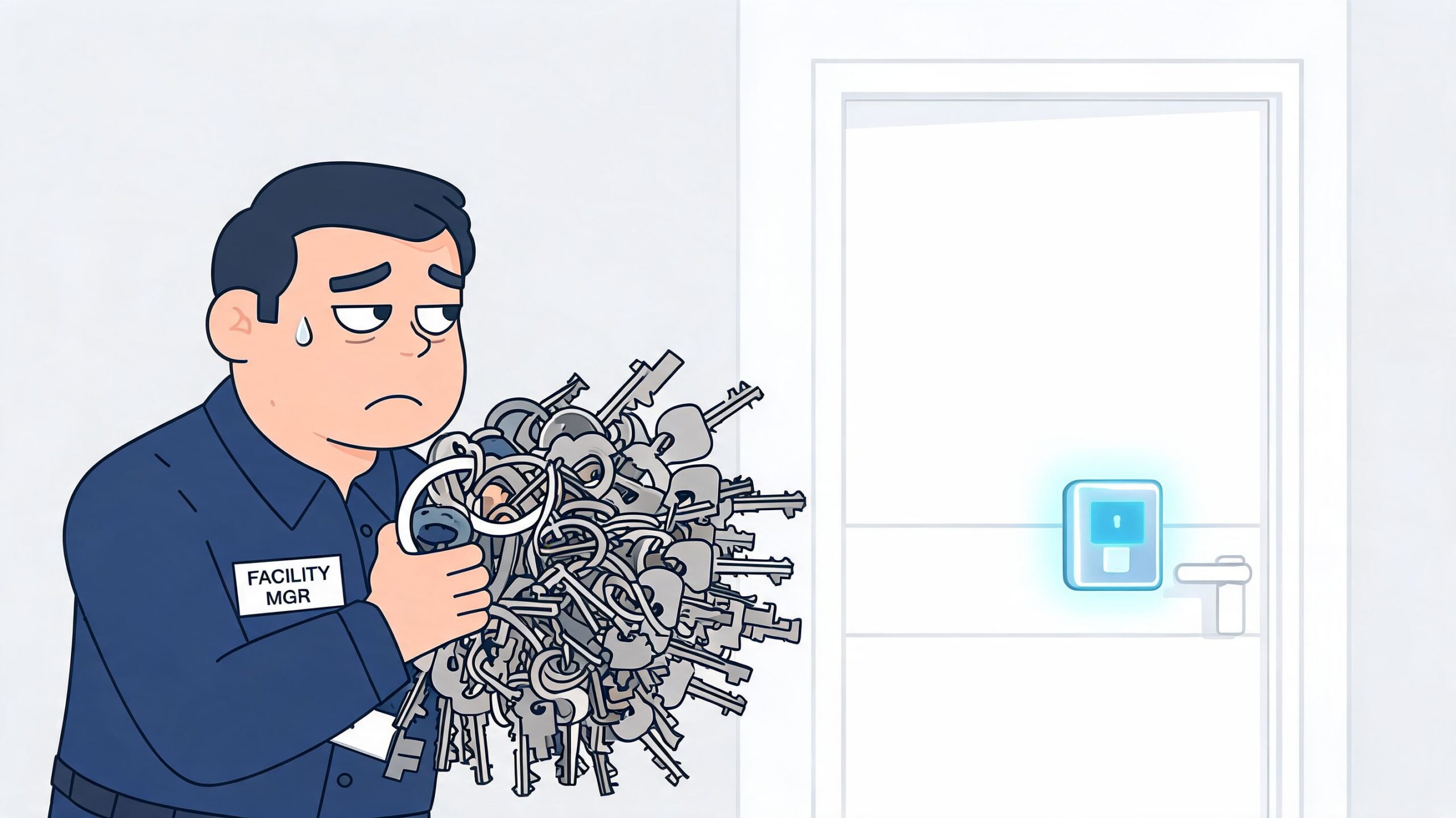
What access control actually means
An access control system is an electronic system that grants entry to authorised people and denies entry to everyone else. It does that using credentials such as cards, fobs, mobile phones, PINs, or biometrics, combined with door hardware and software that enforce the rules automatically.
For a facility manager, that means fewer workarounds. You don't have to rely on copied keys, taped-over latches, or staff calling around to confirm whether a contractor should be on site. The system applies policy at the door.
Why facility teams adopt it
The best reason to install access control usually isn't technology. It's control over real operating conditions:
- Staff changes happen fast: When someone leaves, access can be removed without rekeying the whole area.
- Different spaces need different rules: A front office door, a pharmacy room, and a loading dock shouldn't all work the same way.
- Audit questions need real answers: Electronic records are easier to review than paper logs and memory.
- Multi-site operations need consistency: Central management matters when teams work across several buildings.
Practical rule: If losing one key creates a building-wide problem, the site is overdue for a better access strategy.
Mechanical keys still have a place. Many facilities keep them for backup, emergency override, or low-risk openings. But for active commercial and industrial sites, keys alone don't give enough visibility, and they don't scale well once you add multiple shifts, contractors, visitors, or sensitive areas.
What changes on the ground
At site level, access control often starts small. One secured door becomes four. Then it expands to perimeter gates, interior zones, staff entrances, records rooms, clean rooms, and dock traffic. That's why this topic matters to operations, maintenance, property management, and health and safety teams, not just security staff.
The practical value is simple. You gain a controlled entry system, a cleaner process for issuing and removing access, and better information when something goes wrong.
The Core Components of an Access Control System
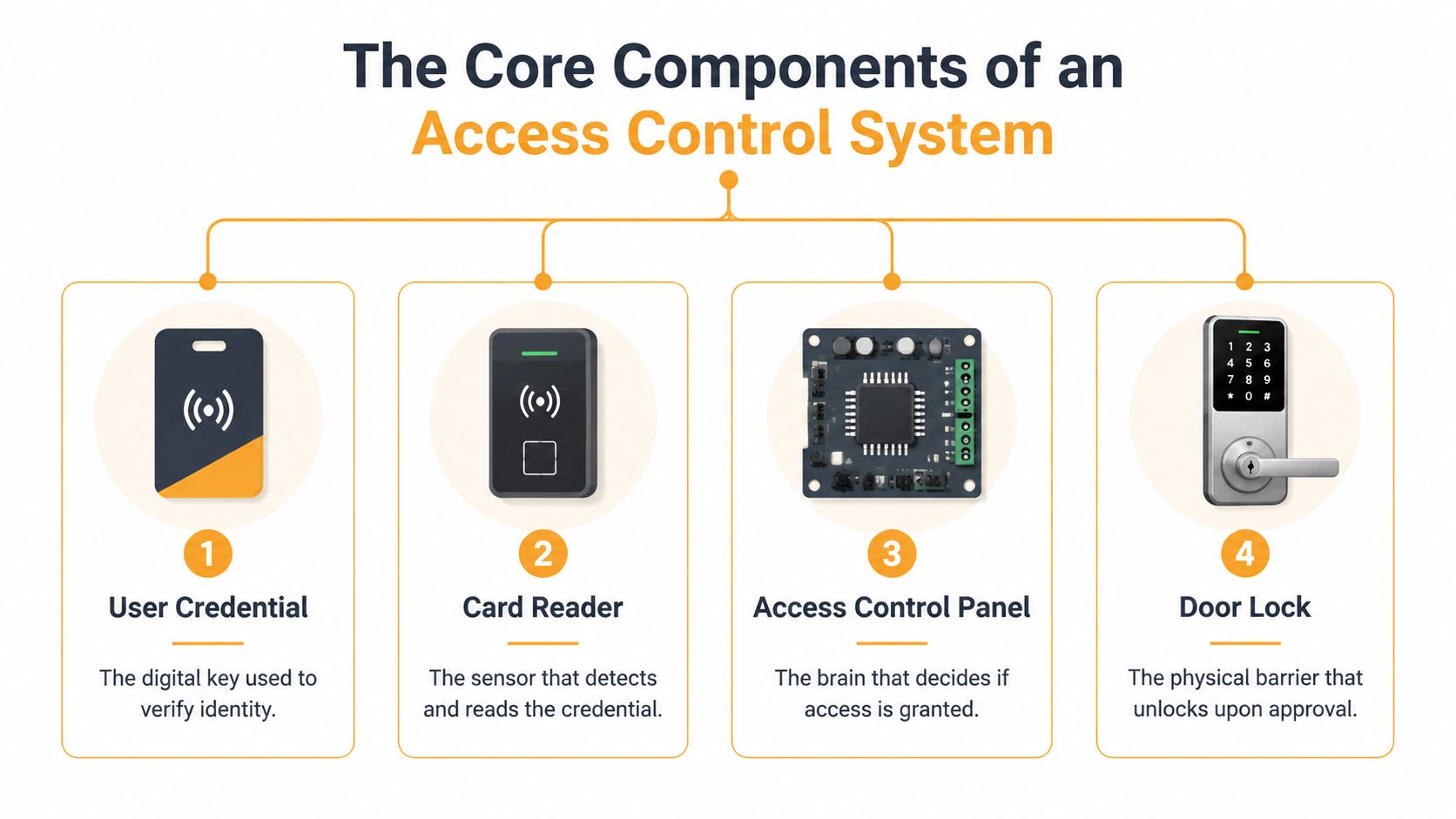
Four parts that work together
Technically, an access control system is a stack of credentials, readers, controllers, and software. The controller checks the credential against a permissions database and only grants entry through the door if the user, time, and door policy all match, creating a tamper-evident audit trail, as described in Mammoth Security's overview of access control features.
Here's the plain-language version.
Credential
This is the user's digital key. It might be a proximity card, key fob, mobile credential, PIN, or biometric identifier. The credential tells the system who is requesting entry.Reader
This is the device at the opening. It reads the card, phone, or biometric input and passes that request into the system.Controller This is the decision-maker. It compares the request against the permission rules. If the credential is valid for that door at that time, the controller sends the command to grant access.
Software Administrators manage users, schedules, reports, and rules within this component. In many systems, software also handles alerts, door status, and integrations.
Don't overlook the door hardware
People often focus on cards and software because they look modern. But the hardware on the door still decides whether the system works reliably on Monday morning in real traffic.
That includes electric strikes, electrified locksets, magnetic locks, request-to-exit devices, door position switches, and closer hardware. If the opening is poorly prepared, misaligned, or abused by carts and pallet traffic, even good software won't save the installation. Facilities considering a magnetic lock for door applications need to weigh holding force, code requirements, release devices, and how the opening is utilized.
A smart credential on a bad door is still a bad opening.
Why identity systems now matter more
The software side increasingly overlaps with IT and identity management. If a company already ties user permissions to a broader directory or cloud identity platform, access can be managed more consistently across physical and digital environments. For teams reviewing that side of the stack, guidance from Ollo Microsoft 365 migration experts is useful background on identity structure and user administration.
For non-technical teams, the takeaway is straightforward. Access control isn't one box on the wall. It's a coordinated system, and weak points usually show up at the openings where hardware, permissions, and daily traffic all meet.
Key Types of Access Control Systems Explained
The biggest decision most facility managers face isn't card versus mobile credential. It's where the system lives and how it makes decisions. That choice affects uptime, administration, and how much support the site needs.
On-premise and cloud-based systems
An on-premise system usually keeps software and management infrastructure on local servers or local network resources. A cloud-based system, often called ACaaS, moves management into a hosted platform while still relying on on-site hardware at the opening.
Here's the practical comparison.
| Feature | On-Premise System | Cloud-Based System (ACaaS) |
|---|---|---|
| Management location | Managed through local infrastructure | Managed through a hosted platform |
| Remote administration | Possible, but often more complex | Typically easier for multi-site oversight |
| Site dependence on local IT | Higher | Usually lower for day-to-day management |
| Expansion across multiple sites | Can be more involved | Often simpler to standardise |
| Software updates | Usually planned and handled locally | Often delivered through the platform |
| Best fit | Sites with strong internal control preferences | Organisations that want central visibility and easier scaling |
Neither model is automatically right. A single-site plant with tight internal IT governance may prefer local control. A property group, healthcare network, or national operator usually values remote administration and shared visibility more.
Localised panels and enterprise architecture
Controller design matters more than many buyers realise. According to SDM Magazine's field guide to access control technology, localised panels make decisions on-site, while enterprise systems sync in real time for cross-site reporting and integrations. That decision affects latency and resilience, especially in high-throughput openings such as warehouse entries or airport access points.
In practical terms:
- Local decision-making helps resilience: If network conditions change, the door can still function based on stored permissions.
- Enterprise synchronisation helps oversight: Security and operations teams can see activity across sites from one place.
- High-traffic areas need sizing, not guesswork: Reader type, panel capacity, credential volume, and integrations all affect throughput.
Permission models in everyday use
Most commercial sites don't talk about DAC, MAC, or RBAC every day, but they use the logic behind them.
- DAC fits looser environments where permissions are more flexible.
- MAC is stricter and more common where security rules are centrally enforced.
- RBAC is often the most practical model for facilities because access follows the employee's role. Warehouse supervisors, cleaners, pharmacy staff, and contractors don't need the same rights.
If you're asking what is access control system in plain terms, this is the answer that matters operationally: it's a rules engine for doors, gates, and secured spaces. The strongest systems match those rules to actual job functions and traffic patterns, not just to a floor plan.
Major Benefits Beyond Just Locking a Door
A door that opens only for the right people is useful. A system that also improves reporting, investigation, and day-to-day operations is far more valuable.
Operational visibility you can actually use
Access control systems produce entry and exit logs, occupancy metrics, and access-pattern analytics, which help facility managers monitor attendance, investigate incidents, and optimise staffing or space use, as described in American Direct's review of access control data points for building owners.
That changes the conversation from “Did the door stay locked?” to better operational questions:
- Who entered a restricted room before an incident
- Whether a contractor accessed only approved areas
- How many people were in a part of the building during a shift
- Whether common areas are being used the way policies assume
For a distribution facility, that might mean separating office access records from dock-side traffic. For a commercial property, it can mean cleaner oversight of shared amenities, after-hours use, and tenant common areas.
Compliance and safety support
Electronic records are easier to review than paper sign-in sheets or scattered key logs. In regulated environments, that matters because auditors and internal reviewers usually want a clear trail of access events, permission changes, and exceptions.
Safety teams also benefit. If an incident occurs, access records can support a faster timeline review. If a site needs restricted after-hours access, permissions can be narrowed to specific doors and time windows instead of handing out a master key and hoping it comes back.
Good access control doesn't just stop the wrong person. It helps the right team reconstruct what happened afterward.
It also reduces administrative drag
One of the most practical gains is administrative. Revoking a credential is easier than replacing cylinders across a suite, a warehouse, or a tenant area. That's especially true where turnover, temporary staff, or service vendors create frequent permission changes.
Outside industrial settings, the same principle shows up in membership-based environments where operators need to automate gym billing and entry. The lesson carries over to commercial facilities: when access rules are linked to valid status, administration gets cleaner and exceptions are easier to manage.
Access Control in Action Industry Use-Cases
The value of access control becomes obvious when you look at openings that create daily friction. Front doors matter, but so do dock doors, fenced yards, staff corridors, pharmacies, records rooms, common areas, and service entries.
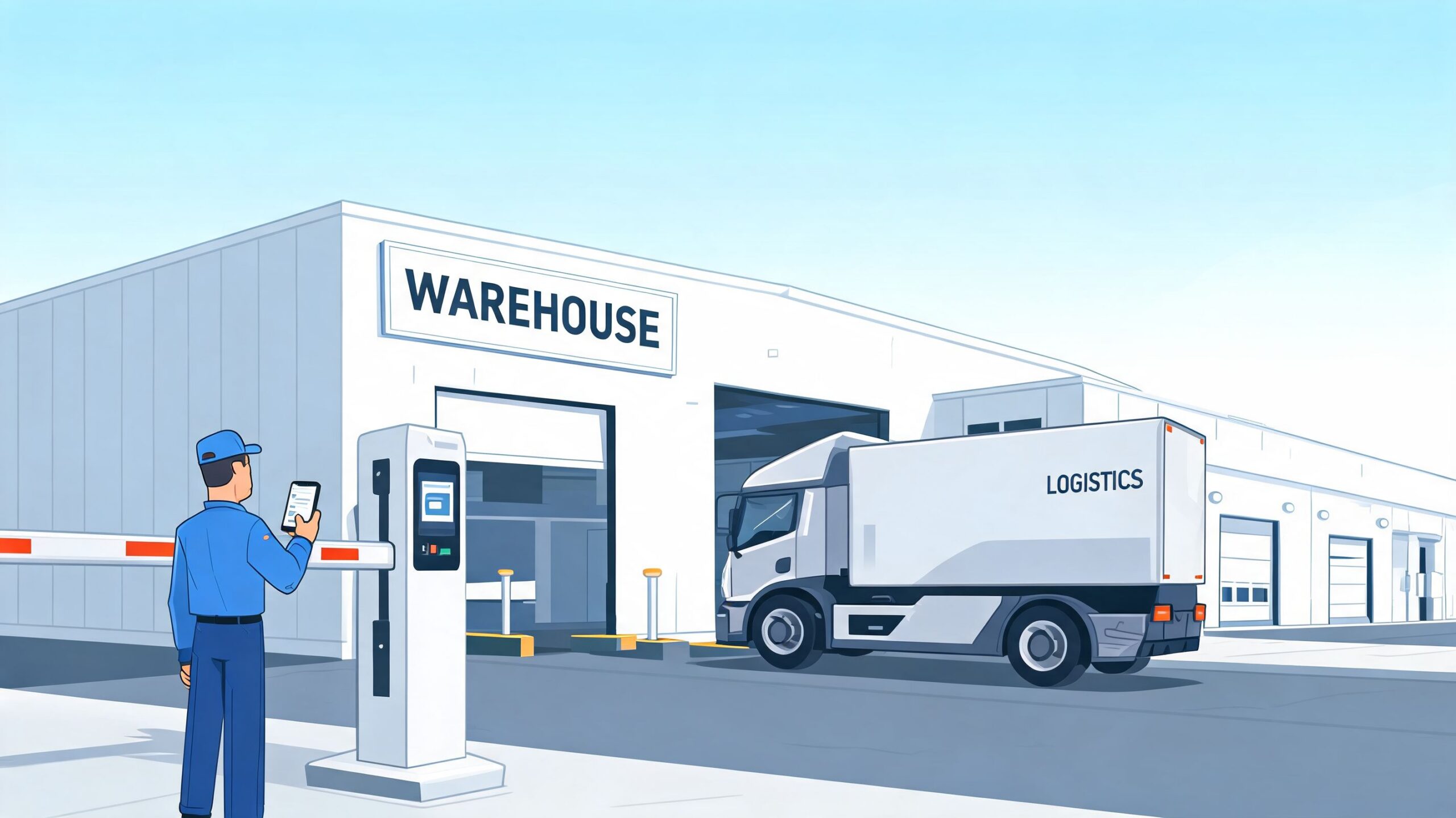
Warehouses and distribution centres
In a warehouse, one system often has to support employees, supervisors, temporary labour, delivery drivers, maintenance vendors, and after-hours cleaners. Those groups shouldn't move through the building the same way.
A practical setup might separate:
- Employee entries from yard and dock access
- Contractor permissions from production or inventory zones
- Driver check-in routes from interior staff circulation
- Perimeter openings from building entries
Sites with vehicle traffic often combine credentialed access with physical perimeter control such as a security barrier gate for commercial facilities. That helps control yard entry without leaving gates open or relying on manual intervention every time a truck arrives.
Healthcare, government, and higher-risk environments
In Canada, 453,600 incidents of self-reported workplace violence were reported in 2024, and 8.1% of workers experienced workplace violence in the previous 12 months, according to Visitly's article citing Statistics Canada data on access control and workplace safety. For hospitals, government buildings, warehouses, and multi-tenant sites, that makes access control part of a wider violence-prevention and duty-of-care program.
That changes how doors are configured. Visitor screening, time-based permissions, staff-only circulation paths, and documented access events become safety tools, not just convenience features.
Field advice: High-risk areas need more than a locked door. They need controlled entry, clear policy, and an event trail people can trust.
Healthcare facilities often secure pharmacies, medication rooms, records storage, and staff-only corridors. Government sites may require stricter permissions for public-facing versus secure zones. Airports and similar environments usually need stronger integration between access, monitoring, and incident response.
A short demonstration helps show how these systems are used in practice:
Multi-tenant commercial buildings
Property managers deal with a different challenge. The issue often isn't a single high-security room. It's managing constant change without creating confusion for tenants or building staff.
Common use cases include:
- Tenant turnover: Add and remove permissions without changing hardware every time a suite changes hands.
- Shared spaces: Control access to fitness rooms, parking areas, service corridors, and after-hours entries.
- Trades and vendors: Issue time-limited access for cleaners, HVAC contractors, or fire inspection teams.
In these buildings, the best systems reduce calls to the property office because the rules are already built into the opening.
Choosing and Implementing Your Access Control System
A good access control project starts with the openings, not the brochure. The right system on the wrong doors creates nuisance calls, user frustration, and workarounds that defeat the whole point.
Start with a site assessment
Walk the facility and classify openings by risk, traffic, and operational importance. A staff entrance, server room, yard gate, dock vestibule, and emergency exit all need different treatment.
Check for:
- Door condition: Frame alignment, closer performance, latch engagement, and abuse from carts or equipment
- Traffic pattern: Shift changes, peak entry times, delivery windows, and visitor flow
- Power and wiring path: Especially on retrofits
- Life safety and code requirements: Egress and fire alarm interface need to be correct from day one
If the opening is already unreliable, fix that first. Access control should be installed on a sound opening, not used as a patch for a failing one.
Make implementation decisions that age well
A lot of systems work on day one. Fewer still work cleanly after staffing changes, software updates, tenant churn, and years of door use.
Prioritise these decisions:
Use role-based permissions where possible
Avoid one-off custom rules for every person. Role-based setup is easier to maintain and audit.Plan integrations early
If the system needs to connect with video, alarms, or HR workflows, design that upfront.Choose credential methods that match the workforce
Cards may suit one site. Mobile credentials may suit another. Mixed environments are common.Think about support after handover
The site needs a process for user changes, hardware service, and periodic review.
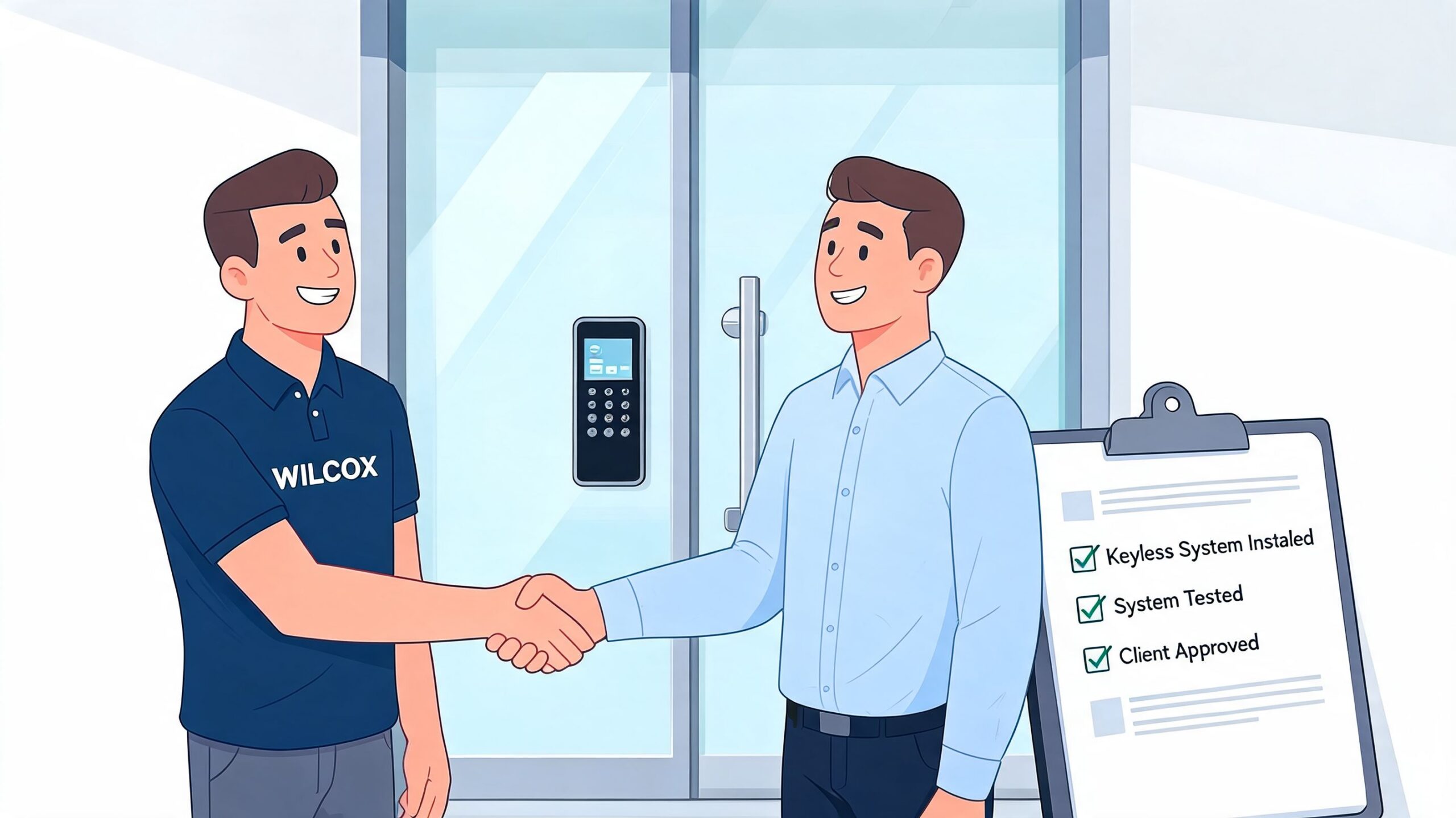
Choose a partner who understands openings and operations
Many projects split between paper success and real success at this critical juncture. The installer has to understand readers and controllers, but also electrified hardware, door function, egress, fire separation, loading dock realities, and service response.
For facilities that need a contractor handling assessment, hardware, and rollout, access control system installation services should cover site review, product selection, opening preparation, and integration planning. That's also the point where one provider such as Wilcox Door Service Inc. may fit if the project includes commercial doors, dock areas, and related access points in the same scope.
Conclusion Integrating and Maintaining Your System for Long-Term ROI
Access control isn't just a replacement for keys. It's a working facility system that combines security policy, door hardware, software, and day-to-day operations. When those pieces fit together, the result is better control over entry, clearer auditability, and fewer disruptions from lost credentials, unmanaged visitors, or poorly secured openings.
The long-term return comes from maintenance and governance. Permissions need periodic review. Hardware at busy openings needs inspection and adjustment. Software and remote administration practices need the same cybersecurity attention you give other connected systems. If those areas are ignored, even a well-designed installation starts to drift.
The strongest results usually come from a simple mindset. Treat access control like any other critical asset in the building. Inspect it, test it, update it, and align it with how the site operates.
If you're evaluating what is access control system for your facility, the practical answer is this: it's a control layer for safety, uptime, and compliance. The technology matters, but the fit at your doors, docks, and workflows matters more.
If you're planning a new system or need help improving an existing one, Wilcox Door Service Inc. can help you assess your openings, align hardware with access requirements, and support a solution built for secure, reliable operation. Respected Partners, Reliable Service.