


An access control system installation is much more than just mounting hardware on a wall. A successful project requires a smart, step-by-step process to ensure every component works together seamlessly for your facility’s unique needs. This guide will walk you through the entire process, from initial planning and site assessment to choosing the right technology, installation, and long-term maintenance. You'll learn how to avoid common pitfalls and ensure your new system provides reliable security for years to come.
Starting Your Access Control Installation Project
Alt text: Technician planning an access control system installation on a tablet with security icons.
So, you're ready to secure your facility with a modern access control system. It can feel like a massive undertaking, but getting the planning right from the start is the most critical part of the entire project. Success is decided long before a single wire is pulled—it starts with understanding how your building is used, where its weak points are, and what you're trying to achieve.
Understanding the Big Picture
A good plan does more than just get hardware on the doors. It prevents operational headaches, keeps your people safe, and protects your bottom line. This is where a professional security system installation service becomes invaluable. Their expertise helps you navigate these early, crucial decisions that shape the entire project.
For instance, a food processing plant has completely different needs than a multi-tenant office tower. The plant might need touchless readers and integration with freezer doors to maintain sanitation standards, while the office requires a flexible system to manage credentials for hundreds of people across different companies. Each one needs a tailored strategy.
Key Considerations Before You Begin
Before you get caught up in comparing card readers and software features, take a step back. This initial planning phase sets the direction for everything that follows.
Here's what you need to nail down first:
- Scope of Control: Are you just securing the main entrances? Or do you need to lock down sensitive areas like server rooms, loading docks, or high-value inventory cages?
- User Management: How many people need access? Will you have different permission levels for employees, contractors, and visitors? The system has to grow with your team.
- Integration Needs: Think about what else the system should "talk" to. This could be your fire alarm panel, video surveillance cameras, or even physical barriers like folding security gates. A practical example is integrating access control with your loading dock doors, ensuring only authorized personnel can operate them.
- Future Growth: Is an expansion on the horizon? You might need to add more secured doors in a year or two. A scalable system will save you from having to start over.
You'll often hear the term ACaaS, which stands for "Access Control as a Service." Think of it as a subscription model for your security. A provider hosts the software and data in the cloud, so you don't need a dedicated server on-site. This is a game-changer for businesses with multiple locations, giving you the flexibility to manage everything from one central dashboard.
Getting clarity on these points creates a solid blueprint. As Respected Partners providing Reliable Service, we know this upfront thinking is the foundation of a security project you can count on for years to come.
Meta Description
Planning an access control system installation? This 2026 guide covers key steps, from site assessment to testing, ensuring a secure, reliable outcome for your facility.
Conducting a Thorough On-Site Assessment
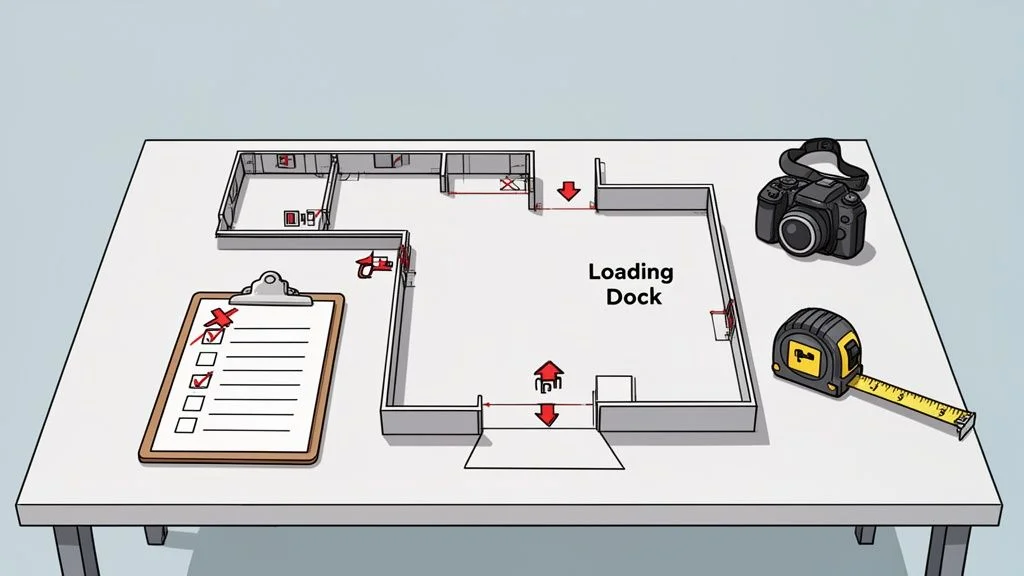
Alt text: Facility planning for access control system installation with a floor plan, checklist, and tools.
Before ordering hardware or running any wiring, a successful access control system installation starts with getting your boots on the ground. This on-site assessment is where your security goals meet reality. It's about creating a detailed map of your facility's unique security landscape, making sure no door, workflow, or potential risk is missed. The time invested here is what prevents costly changes and operational headaches down the line.
Mapping Your Facility's Entry and Exit Points
First, you need to identify every single point of access you want to control. This is about more than just the obvious front doors; it includes those often-overlooked spots that can become major security vulnerabilities.
Grab a floor plan and start walking the site. Your inventory should cover:
- Primary Entrances: All main doors used by employees and visitors.
- Secondary and Service Doors: Think side exits, maintenance access points, and even rooftop hatches.
- Loading Dock Areas: This includes both the pedestrian doors and the large overhead doors where shipments move. Securing these is crucial for supply chain integrity.
- High-Security Zones: Server rooms, inventory cages, executive suites, and any pharmaceutical or chemical storage areas.
- Specialty Doors: Fire-rated doors, cold storage entries, and clean-room access points all come with their own unique code and hardware requirements.
For each location, note the door type and its current hardware. Is it a standard hollow metal door with a lever, or a high-speed roll-up door at a busy dock? The door itself will dictate the locking hardware you need, whether it's an electric strike or a high-powered magnetic lock. Our guide on selecting a magnetic lock for a door is a great resource for this.
Evaluating Infrastructure and Environmental Factors
With your access points mapped, it’s time to look at the environment and the infrastructure that will support the new system. An access control system doesn't work in a bubble; it has to integrate with your building’s power, network, and physical structure.
Consider a large distribution centre, for example. The sheer distance between the main office and a remote loading bay can be a major challenge. Running hundreds of metres of new network cable might be incredibly difficult or expensive. In a scenario like this, a system that can use existing network lines or one with reliable wireless capabilities might be the only practical choice.
Key Takeaway: The on-site assessment isn't just about what to secure, but how to secure it. The goal is to find the most efficient, reliable, and code-compliant way to install your system within the reality of your facility.
Environmental conditions are just as critical. A card reader on an exterior gate has to be fully weatherproofed to survive a tough Canadian winter. For a cold storage facility, every component—from the reader to the lock—must be rated to function perfectly at sub-zero temperatures. Ignoring these factors is a surefire way to end up with failing equipment.
Defining User Access and Traffic Flow
Finally, a proper assessment dives into how people actually move through your space. This means defining user groups—which are just categories of people with different access needs—and figuring out their specific permissions. The key questions are: who needs to get in where, and at what times?
Start creating a list of the different roles in your facility:
- General Employees: Need access to main entrances and common areas, but only during business hours.
- Warehouse Staff: Require 24/7 access to loading docks and inventory zones, but should be kept out of administrative offices.
- IT Administrators: Need unrestricted access to server rooms at all times.
- Cleaning Crews & Contractors: Should have temporary, time-restricted access that only works for specific areas and times.
Understanding these traffic patterns is what allows you to design a system that’s both incredibly secure and convenient. It’s what stops a warehouse worker from wandering into a sensitive data centre while ensuring the overnight maintenance crew can do their job without a jangling set of physical keys.
Choosing the Right Access Control Technology
Once you’ve mapped out your facility, it’s time to tackle the heart of the system: the technology itself. This is where you decide how people will actually get through your doors. The goal is to strike a practical balance between security, budget, and convenience. A busy loading dock, for instance, needs something tough and simple that a driver can use without a fuss. Let's dig into the most common options.
Credential Types: Key Fobs, Smart Cards, and Mobile Access
Most access control systems rely on credentials—a physical or digital "key" that grants someone entry.
Key Fobs and Proximity Cards: These are the reliable workhorses of the access control world. They’re durable, inexpensive, and simple to use. A truck driver can easily tap a fob against a reader at a gate without leaving their vehicle, making them perfect for high-traffic areas like warehouses and distribution centres.
Smart Cards: These look like a standard card but contain a microchip that offers much stronger, encrypted security. They can also handle multiple applications on a single card—think cashless vending or time and attendance.
Mobile Access: Using a smartphone as a credential is no longer a futuristic idea; it's a fast-growing reality. The convenience is unmatched—employees are far more likely to forget their ID badge than their phone. This approach is fantastic for modern offices and managing properties across multiple sites, as you can issue or revoke access remotely in real-time.
Access Control Technology Comparison
This table breaks down the common technologies to help you weigh the pros and cons.
| Technology Type | Best For | Security Level | Typical Cost |
|---|---|---|---|
| Key Fobs & Prox Cards | High-traffic areas, warehouses, basic office access. | Standard | Low |
| Smart Cards | Corporate campuses, multi-use facilities, integrated systems. | High | Medium |
| Mobile Access | Modern offices, multi-site properties, high-convenience needs. | High | Medium-High |
| Biometrics (Fingerprint) | Server rooms, executive offices, areas needing individual accountability. | Very High | High |
| Biometrics (Facial/Iris) | Touchless environments, high-security zones, government facilities. | Highest | Very High |
Advanced Security with Biometrics
For areas that demand the highest level of security, biometrics are the answer. Instead of verifying something a person has (like a card that can be lost or stolen), biometrics confirm who a person is by using their unique biological traits.
This technology breaks down into a few common types:
- Fingerprint Readers: The most common form of biometrics, offering a great mix of security and convenience for protecting server rooms or executive suites.
- Facial Recognition: Perfect for creating a completely touchless entry experience. It's ideal for clean rooms or main entrances where you want to keep foot traffic moving smoothly.
- Iris and Retina Scanners: These offer nearly flawless security, found in government facilities and high-value data centres where access must be ironclad.
While the initial investment is higher, a biometric system completely removes the risk of lost or stolen credentials. Proper integration with devices like an automatic door operator is essential for a seamless and secure entry point.
The Rise of Cloud-Based Systems (ACaaS)
Beyond the physical readers, you also need to decide how the entire system will be managed. This brings us to Access Control as a Service (ACaaS), a cloud-based model that is changing the game for facility managers.
Instead of needing a dedicated server on-site, an ACaaS system is managed entirely through the cloud. This offers incredible flexibility, especially for businesses operating out of multiple locations. From a single web browser—anywhere in the world—you can manage access permissions, monitor activity in real-time, and pull reports for every single door across your whole organization.
The global access control market is projected to reach USD 26.22 billion by 2034, with the installation and integration segment surging at a 14.94% CAGR through 2035. This growth is largely fueled by the flexibility and scalability offered by cloud-based ACaaS solutions. You can explore more about these market trends in this detailed access control market report.
This shift away from on-premise servers is a key consideration in any new access control system installation. For a company managing a national portfolio of warehouses, ACaaS provides the centralized command needed to maintain consistent security standards coast-to-coast.
Bringing the Blueprint to Life: The Physical Installation
This is where all the planning, site walks, and spec sheets come together. From a technician's perspective, this phase is all about precision and thinking ahead. It’s not just about mounting hardware; it’s about doing it cleanly and smartly, with as little disruption to your daily operations as possible.
The core idea is to turn your credential—be it a card, a phone, or a fingerprint—into a seamless, verified entry.
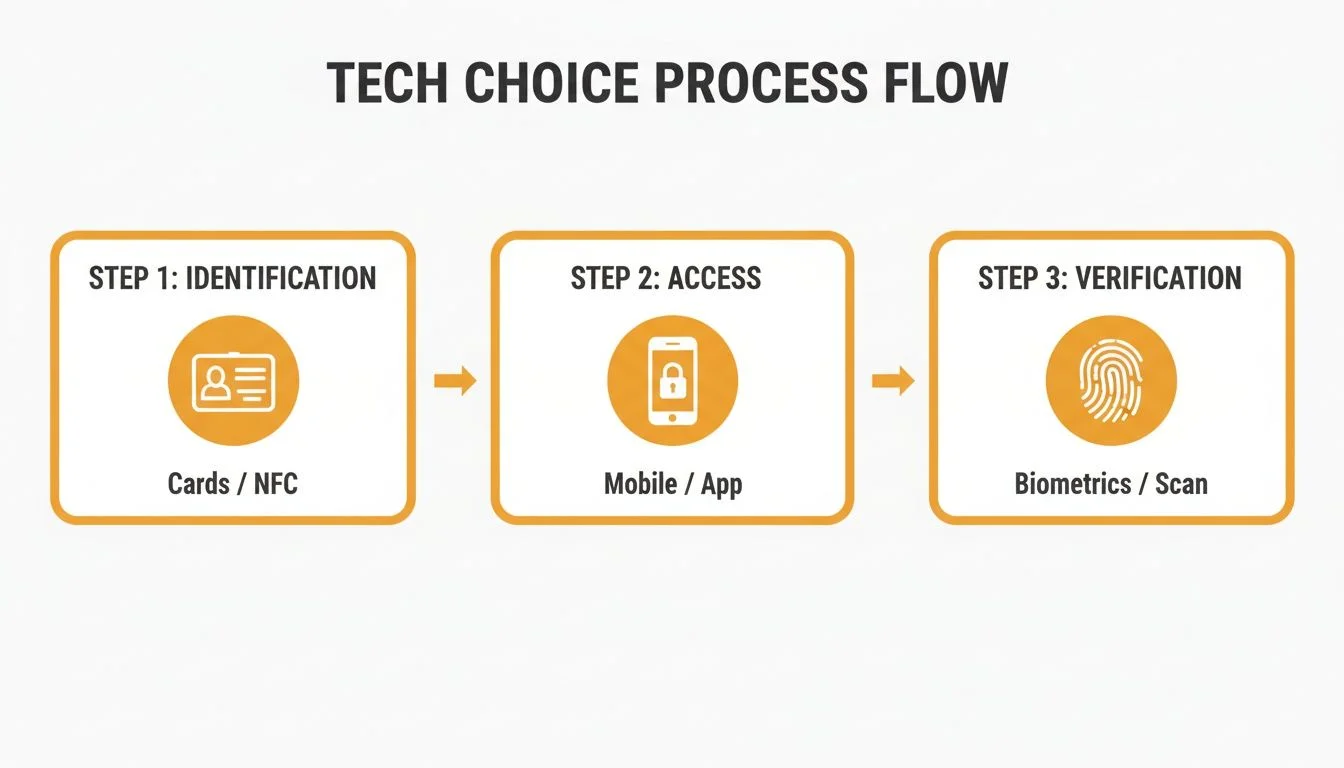
Alt text: Flowchart showing the three steps of access control: Identification, Access, and Verification.
This process, from identification to verification, is what we build into the physical infrastructure of your building.
Wiring and Network Infrastructure
One of the first big calls is how to run the connections. The choice between traditional hardwiring and modern, network-based systems will shape the project's cost, timeline, and scalability.
Traditional Hardwiring is the old-school method of running dedicated low-voltage cables from every reader, lock, and sensor back to a central control panel. It’s rock-solid and reliable, but it can be very labour-intensive.
A much more popular approach is Power over Ethernet (PoE). It uses a single, standard network cable to handle both data and power for devices like card readers. This massively simplifies wiring, meaning the job gets done faster and with less mess.
From the Field: PoE is an absolute lifesaver for retrofits in older buildings. We can often tap into existing network cabling, which means less drilling and a much cleaner installation. On larger jobs, a full commercial installation brings its own unique set of challenges, but the principle is the same: use the smartest path.
For example, at a large warehouse with a high-speed roll-up door far from the main office, pulling a thick bundle of wires across that entire distance is a huge undertaking. But if there’s a network switch near the loading dock, we can install a PoE reader with one simple ethernet cable.
The Installation Checklist In Action
A professional crew works off a detailed checklist to make sure every component is installed correctly, tested, and meets all safety and building codes.
Here’s what that looks like on the ground:
- Mounting Hardware: We physically install the card readers, request-to-exit buttons, and door position sensors. Placement is everything. A reader needs to be at an accessible height, and a sensor must be perfectly aligned to know if a door is truly shut.
- Installing Locking Devices: This is where we fit the electric strike (an electromechanical lock for the frame) or magnetic lock into the door and frame. It demands precision. If it’s off by even a few millimetres, the door might not lock securely.
- Connecting to the Controller: All wires from the readers, locks, and sensors come together at the access control panel—the "brain" of the operation.
- Ensuring Code Compliance: This is non-negotiable. The installation has to follow all local building and fire codes. Fire-rated doors, for example, need specific types of hardware, and every locking mechanism must allow for safe exit in an emergency.
Canada’s access control market is growing for a reason. As a key part of the North American market, it holds a 36.4% revenue share in 2026. In real-world terms, a basic keypad on a low-security warehouse door might cost $1,000–$2,500. But a full biometric system for a high-security area like a pharmaceutical clean-room can easily run $3,500–$10,000+ per door.
Minimizing Operational Disruption
A professional access control system installation shouldn’t bring your business to a halt. We schedule noisy work for off-hours, keep work areas tidy, and do a full clean-up every day. The goal is to hand you the keys to a fully operational, reliable security system without you ever feeling like your business was "under construction."
Testing, Training, and Long-Term Maintenance
The access control system installation isn't finished when the last wire is connected. This final phase—commissioning, training, and maintenance—is what turns a pile of hardware into a reliable, long-term security asset. This is where your investment really starts to pay off, shifting from a construction project to an operational tool that actively protects your people and property.
Commissioning the System for Peak Performance
Commissioning is the formal, methodical process of testing every single component to ensure it works exactly as designed. It’s a meticulous, top-to-bottom check where we confirm that everything is communicating correctly.
This isn’t just about tapping a card to see if a door opens. It goes much deeper.
Hardware Functionality: We physically test every reader, lock, door position sensor, and request-to-exit button. Does the commercial door operator engage smoothly? Does the magnetic lock release instantly during a fire alarm test? These details matter.
Software and Network Integrity: We verify that the control panel is talking to the central server or cloud platform without delays. We also confirm the software is logging every event accurately.
Access Level Verification: We run tests for different user groups. We'll make sure an employee card works during business hours but gets denied after-hours, and that a contractor’s temporary credential expires precisely on schedule.
The commissioning process is your final quality assurance check. It's where you get documented proof that the system you paid for is the system you received.
This rigorous testing prevents "Day 2" headaches and ensures your system is dependable from the moment you go live.
Training Your Team for Success
An access control system is only as effective as the people who operate it. Good training is essential for both your system administrators and your everyday users.
Your administrators are the power users. They need to know the software inside and out to manage the system effectively.
Administrator and User Training Essentials
| Training Focus | Key Topics for Success |
|---|---|
| Administrator Training | How to add and remove users, assign or change access levels, run audit reports for investigations, and perform basic system diagnostics. |
| End-User Training | How to properly use their credential (card, fob, or mobile app), understand what different reader sounds or lights mean, and know who to call if they run into a problem. |
Clear, straightforward training prevents confusion and frustration. When employees understand how the system benefits them—like no more fumbling for keys at a loading dock door—they are far more likely to embrace the change.
Protecting Your Investment With Planned Maintenance
An access control system is a dynamic piece of your facility's infrastructure, not a set-it-and-forget-it appliance. Just like your HVAC system or your loading dock equipment, it needs regular, planned maintenance to function reliably for years.
A proactive maintenance program is your best defence against unexpected downtime. In the Canadian access control landscape, it's a fast-moving field. North America dominated the global market with a 36.95% share back in 2019, and the demand has only grown. Recent statistics now show 54% of organizations integrate access control with video monitoring for layered security. You can read more about the growing access control market on Polaris Market Research.
A solid maintenance schedule should include regular inspections of all physical hardware—checking locks for wear and tear, cleaning reader heads, and ensuring power supplies are stable. It also involves keeping software and firmware up to date to protect against new security threats. This proactive approach is the core of our "Reliable Service" promise, helping you extend the life of your assets and ensure your facility remains secure.
Your Access Control Installation Questions Answered
Even with the best plan, questions always come up during an access control system installation. Here are some of the most common questions we hear, with straightforward answers to give you confidence.
How Long Does a Typical Installation Take?
There’s no one-size-fits-all answer—it really comes down to the size and complexity of your project. A simple standalone keypad on a single office door might only take a day. A fully networked system for a large warehouse with dozens of access points could be a multi-week project.
Key factors influencing the schedule:
- Number of Doors: More access points simply mean more time for wiring and hardware mounting.
- Technology Type: A modern PoE (Power over Ethernet) system can often be installed faster than traditionally hardwired systems.
- Existing Infrastructure: Working in a new build with open walls is much quicker than retrofitting a system into an existing, finished building.
Once we complete our on-site assessment, we’ll provide a detailed project schedule that minimizes disruption to your daily operations.
Can It Integrate With My Existing Commercial Doors?
Absolutely. Making an access control system work with your existing doors is a core part of a professional installation. Modern systems can integrate with nearly any commercial or industrial door, including standard hollow metal pedestrian doors, high-speed fabric doors, and the heavy-duty sectional doors on your loading docks.
The integration usually involves fitting the right kind of locking hardware. For a standard door, this might be an electric strike installed in the frame. For a high-security entrance, a powerful magnetic lock might be a better fit. When it comes to loading docks, we can even tie the access system into dock equipment like vehicle restraints to create automated safety sequences that prevent accidents.
What Are the Ongoing Costs After Installation?
After the initial investment in hardware and installation, you’ll want to budget for three main ongoing costs.
- Software & Hosting Fees: These are most common with cloud-based systems (ACaaS). You’ll typically have a monthly or annual subscription that covers software, cloud hosting, and support.
- Credentials: As your team grows, you'll need to purchase new or replacement credentials like key fobs or swipe cards.
- Planned Maintenance: This is by far the most important ongoing investment. Regular, scheduled service from certified technicians is what keeps your system reliable and prevents surprise failures. It's a small cost that protects you from the huge expense of downtime.
A proactive maintenance plan is the difference between a security system that works and one that you can truly rely on.
What Is a Standalone Versus a Networked System?
A standalone system is the simplest form of access control. It manages just one door, and all administration—like adding a user’s PIN—is done right there at the keypad. It’s a great, budget-friendly choice for a single storeroom, but it provides no audit trail or remote management.
A networked system is where the real power lies. It links all your doors to a central controller, usually connected to a cloud platform. This gives you complete, centralized control over your entire facility. From a single web dashboard, you can grant or revoke access, see who is coming and going in real-time, instantly lock down the whole building in an emergency, and pull detailed reports for security audits.
As Respected Partners providing Reliable Service, our team at Wilcox Door Service Inc. is here to answer any other questions you may have. Contact us today to discuss your facility's security needs and get a quote for your access control system installation.