


If you're managing a warehouse, plant, or multi-site commercial property, you likely know the pattern. A dock leveler goes down before the morning rush. A high-speed door starts hesitating in cold weather. Someone asks for the last fire door inspection record, and the paperwork is spread across binders, inboxes, and a technician's truck.
That's where facility maintenance software starts earning its place. It gives facility teams one system to track assets, schedule preventive work, document compliance, and coordinate outside service partners without relying on memory or paper trails.
For Canadian facilities, that matters even more. Doors, docks, operators, restraints, seals, and access points take daily abuse. They also sit at the centre of safety, energy performance, and throughput. When the software is set up properly, it doesn't just organise maintenance. It helps you make better decisions about uptime, repair timing, replacement planning, and contractor coordination.
What Is Facility Maintenance Software
Facility maintenance software is the digital system that replaces scattered work orders, whiteboards, spreadsheets, and paper inspection logs. You'll also hear it called a CMMS, short for computerised maintenance management system. In simple terms, it's the operating system for maintenance.
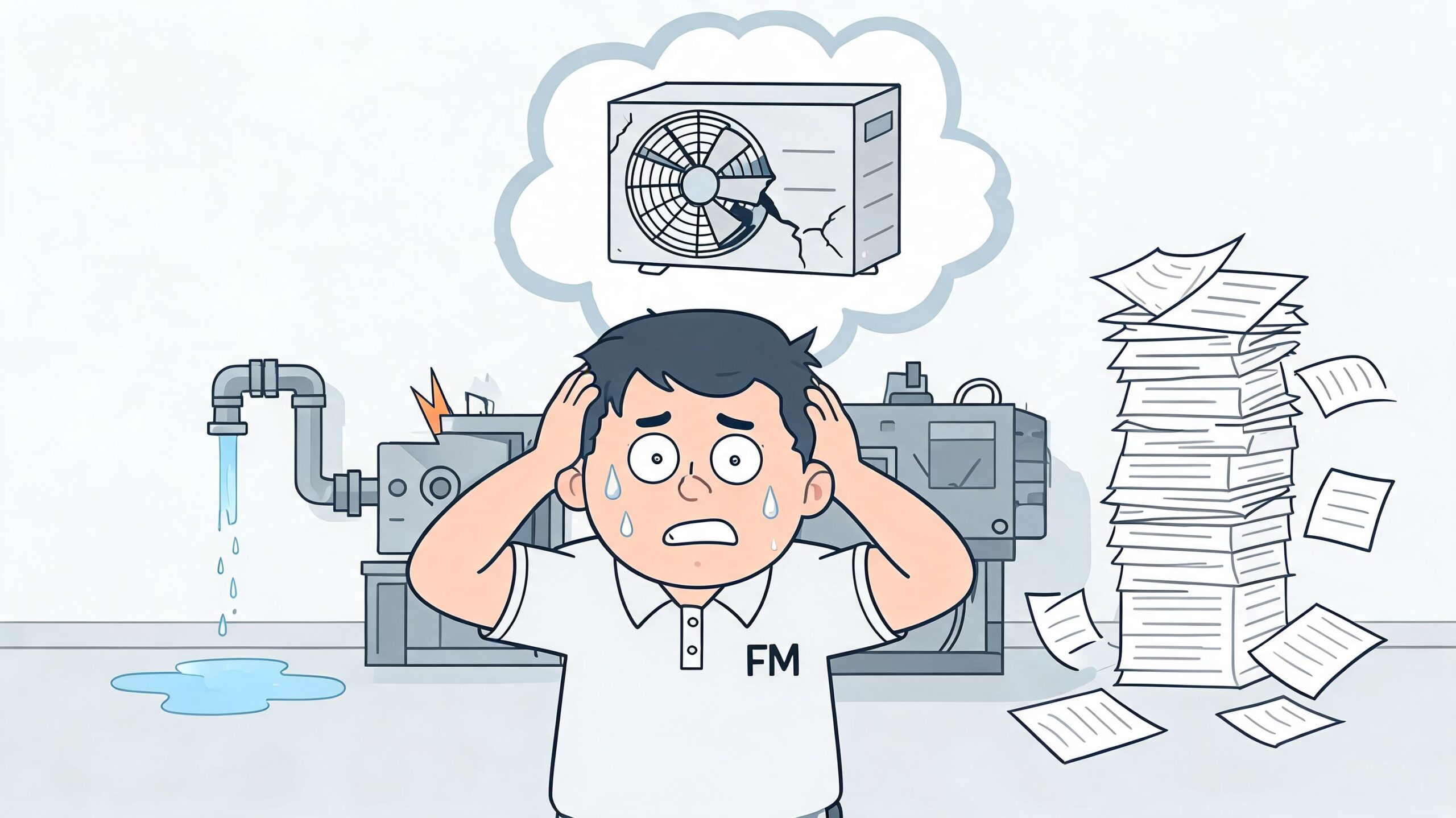
A good system keeps your work requests, preventive schedules, asset histories, parts usage, inspection records, and contractor notes in one place. Instead of reacting only when equipment fails, your team can plan service before failure disrupts shipping, receiving, or tenant operations.
What it looks like in day-to-day use
Take a loading dock with six levelers, six overhead doors, and a few vehicle restraints. In a manual process, one issue gets phoned in, another gets emailed, and routine inspections depend on whether someone remembered to check the calendar. With facility maintenance software, each asset has its own record, service history, recurring task schedule, and open work order status.
That matters in Canada, where maintenance documentation is tied closely to code and safety expectations. North America held 38% of facility management software market revenue in 2024, and that leadership is tied in part to regulatory frameworks such as Canada's National Building Code that require rigorous maintenance tracking for commercial and industrial facilities, according to Grand View Research's facility management software market report.
Practical rule: If your team can't pull up the service history for a door, dock, or operator in under a minute, the system is too fragmented.
What the software should help you control
The right platform should help you do four things well:
- Capture requests clearly so a report like “dock door won't close fully” becomes a trackable task instead of a vague phone message.
- Schedule preventive work for assets that wear out with use, such as high-cycle sectional doors and dock equipment.
- Document compliance activity including inspections, repairs, and test results.
- Coordinate service partners without duplicate calls, missed updates, or unclear job status.
For teams that also run other appointment-heavy workflows outside maintenance, tools such as Twizzlo for appointment-based businesses show how centralised scheduling and communication can reduce administrative friction in service operations.
If you're still building your process, a simple place to start is a facility maintenance log template in Excel. It won't replace a full CMMS, but it will expose where your current process breaks down first.
Key Benefits for Your Commercial Facility
The biggest payoff from facility maintenance software isn't that it looks modern. It's that it changes how work gets done when equipment is critical to operations.
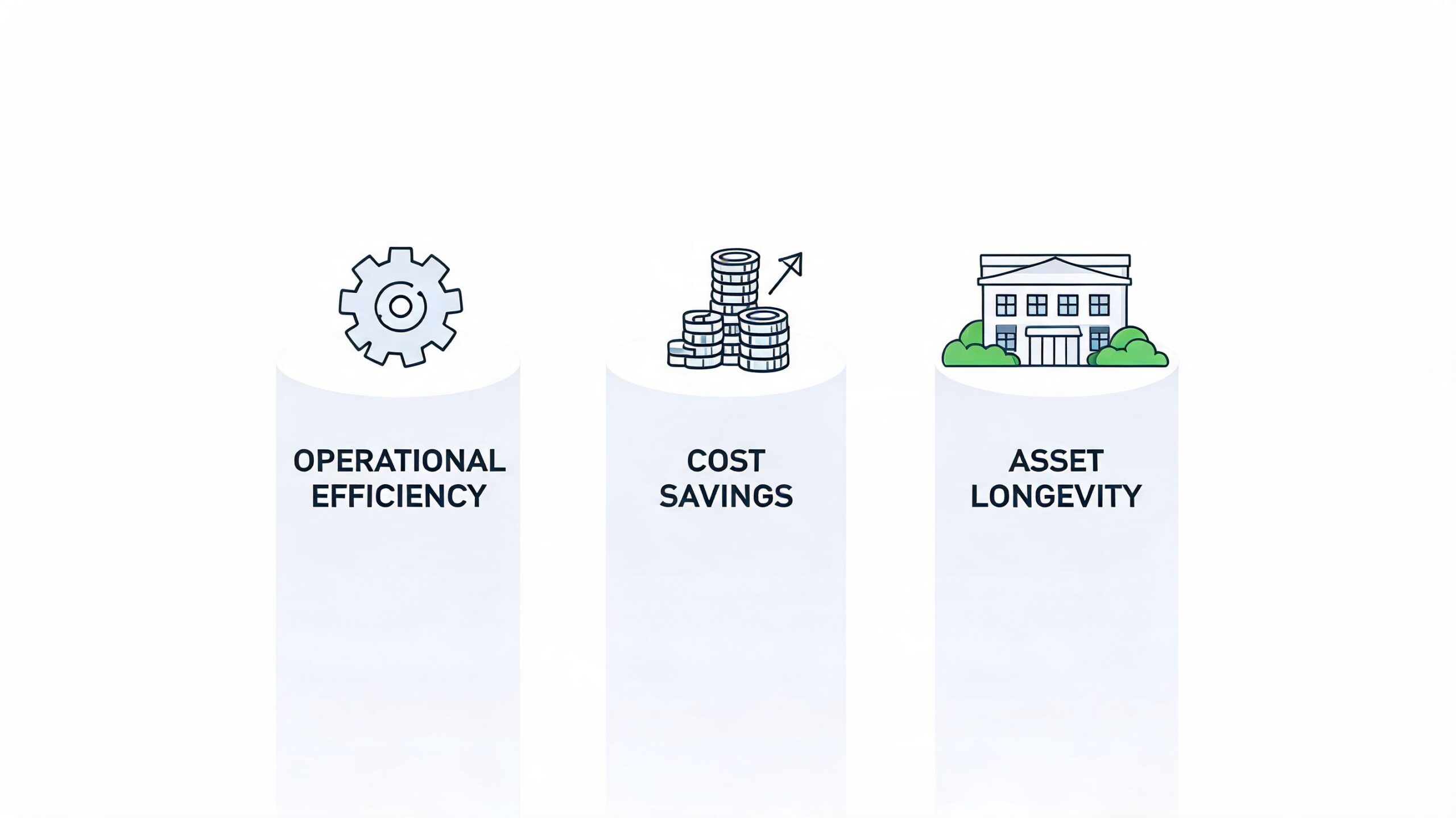
For warehouses and commercial properties, the strongest benefits usually show up in three areas. Uptime. Compliance. Cost control.
Better uptime at the doors and docks
When a door contractor arrives on site and finds no service history, no part notes, and no record of prior callbacks, the repair starts slower than it should. Software fixes that by giving technicians and managers a running record of what happened, what was replaced, and what should be inspected next.
That's especially useful on assets that don't fail all at once. A dock leveler may start drifting. A bottom seal may deteriorate. A high-speed fabric door may begin to track poorly after repeated impact. Those are all early warnings. If they're logged and acted on, you stay in control. If they're ignored, they become emergency calls.
Most facility teams don't have a repair problem first. They have a visibility problem.
Stronger compliance with less scrambling
Compliance gets easier when inspection records live in the same place as repairs and follow-up work. That matters for fire door drop testing, pedestrian door safety, access control hardware, and recurring dock checks where you may need to show what was inspected, when, and by whom.
It also matters when building incidents cross over into other maintenance risks. Property managers dealing with roof leaks, wet walls, or seasonal water intrusion often benefit from practical guidance on preventing emergency water damage in buildings, because those issues frequently end up inside the same maintenance workflow as door, dock, and envelope repairs.
A clean audit trail saves time. It also reduces arguments about whether a task was missed, deferred, or completed without documentation.
Here's a quick visual overview of how maintenance systems support operations in the field:
Lower operating costs through planned work
The numbers are hard to ignore. In Canada's commercial maintenance sector, warehouse and distribution centres achieve 25-35% overall cost reductions through CMMS integration, and organisations shift 60% of work from reactive to planned preventive maintenance, which slashes emergency repair costs by 70-85%, according to Wilcox's review of facility maintenance software.
In practical terms, that means:
- Fewer premium callouts because more work is planned before failure.
- Longer asset life because rollers, springs, operators, hinges, sensors, and hydraulic components are serviced before abnormal wear spreads.
- Less disruption to shipping and receiving when repairs happen during controlled windows.
- Better energy performance because doors, seals, shelters, and closures are maintained before gaps and damage drive losses.
For busy facilities, the savings usually don't come from one dramatic change. They come from hundreds of smaller decisions made earlier and documented properly.
Core Features Every Manager Needs
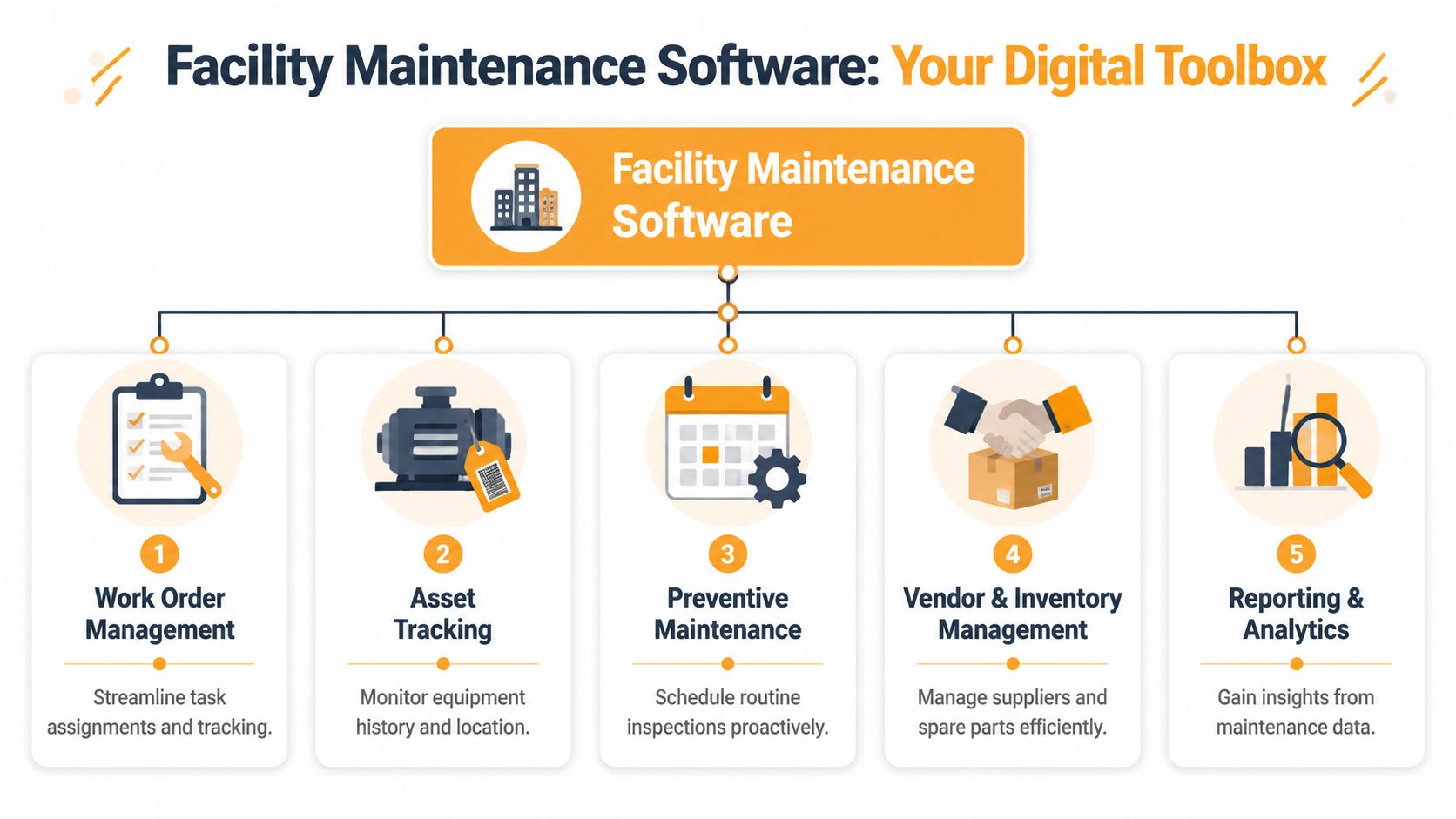
Not every platform is built the same. Some are good at simple work requests but weak on asset structure. Others are strong on reporting but clumsy for technicians in the field. The useful way to evaluate facility maintenance software is to treat it like a toolbox. Every core feature should solve a real operating problem.
Work order management
This is your digital dispatch board. Every request should enter the system with enough detail to route it correctly, prioritise it, and close it with a usable record.
For a door or dock issue, that means the work order should identify the specific asset, location, fault description, urgency, and any safety concerns. “Rear dock problem” is not a useful work order. “Dock 4 leveler not storing flush, lip hanging up intermittently” is.
Look for software that supports:
- Clear intake forms so requesters provide useful fault descriptions
- Status tracking such as open, assigned, waiting on parts, scheduled, and complete
- Attachments including site photos, inspection sheets, and closeout notes
- Priority controls so safety-critical assets don't get buried under routine requests
Preventive maintenance scheduling
Preventive maintenance means planned service before breakdown. In software, that usually means recurring tasks triggered by date, use, or condition.
Doors and docks are ideal candidates. A high-cycle overhead door may need closer attention than a low-use side entrance. A leveler in a cold-storage application may need more frequent checks than one in a cleaner environment. Good software lets you build those differences into the schedule instead of applying one generic interval to everything.
A preventive schedule only works if it matches how the asset is actually used.
Asset tracking
Asset tracking is your equipment register. Every major item should have its own digital identity, including where it is, what it is, when it was installed, and what has been done to it.
For facilities with multiple sites, many systems become either useful or frustrating at this stage. You should be able to drill from portfolio level down to building, zone, opening, and equipment type. If you can't separate one rolling fire door from another in the system, your history won't be trustworthy.
A solid asset record usually includes this information:
| Asset detail | Why it matters in practice |
|---|---|
| Equipment type and location | Helps dispatch the right technician to the right opening |
| Service history | Shows repeat failures, parts patterns, and prior recommendations |
| Warranty and install details | Helps managers decide whether to repair or escalate |
| Inspection records | Supports compliance and internal reviews |
Mobile access for technicians
If technicians have to write notes on paper and re-enter them later, adoption falls off quickly. Field teams need mobile access that works at the point of service.
That means they can open the job, review history, add notes, upload photos, record parts used, and close the task from the dock apron, mechanical room, or receiving area. For outsourced service coordination, mobile updates also help facility managers know whether the issue is in progress, awaiting approval, or complete.
Reporting and analytics
Reporting isn't just for executive dashboards. It helps maintenance leaders find patterns. Which doors keep failing. Which docks generate repeat calls. Which sites defer work until it becomes urgent. Which assets are likely ready for replacement planning.
Useful reports answer operational questions such as:
- What equipment is driving the most repeat work
- Which preventive tasks are being missed
- Where response times are slowing down
- Which locations rely too heavily on emergency service
Vendor and inventory management
Facilities that use outside contractors need a clean handoff between internal teams and service partners. The software should help you assign work, track approvals, document quotes, and keep invoices tied to the right asset record.
Inventory matters too. For critical openings, waiting on the wrong roller, hinge, sensor, or operator component can turn a short repair into a prolonged disruption.
One practical option in this area is to use software that can coordinate with specialised service providers. For example, Wilcox Door Service Inc. supports commercial and industrial door, dock, and access control service across Canada, which is relevant when your CMMS needs to connect maintenance records with field service work on those asset types.
How to Choose the Right Software
The wrong software usually fails in one of two ways. It's either too simple for your operation, or it looks powerful in a demo but doesn't fit how your sites operate.
For warehouses, manufacturing plants, and commercial portfolios, selection should start with your asset mix and service model. If your most disruptive failures happen at doors, docks, restraints, operators, and access points, your system must handle those assets cleanly. That includes naming conventions, service histories, recurring inspections, and outside contractor coordination.
Start with interoperability, not the feature list
A long feature list can hide a weak integration model. That's a problem for specialised access equipment.
A 2025 survey found that 68% of facility managers in Canadian warehouses struggle with software interoperability for specialised door and dock systems, leading to 22% higher unplanned downtime, according to eMaint's facility management software industry page. In plain terms, when the software can't connect your records, vendors, and equipment details properly, downtime rises.
That's why you should ask vendors to show how their system handles a real workflow. Not a generic HVAC example. Ask them to walk through a failed dock leveler, a damaged high-speed door, or a required fire door inspection.
If a vendor can't model one of your common failure scenarios in the demo, expect trouble after purchase.
Facility maintenance software selection checklist
| Feature/Criteria | Why It Matters | Questions to Ask Vendors |
|---|---|---|
| Asset hierarchy | You need to identify each door, dock, restraint, and operator by exact location | Can we structure assets by site, building, area, and opening? |
| Mobile technician usability | Adoption depends on fast updates in the field | Can technicians add photos, notes, and closeout details from a phone or tablet? |
| Preventive maintenance flexibility | Different assets need different service rules | Can tasks be scheduled by date and by equipment usage? |
| Contractor coordination | Many facilities rely on specialised service providers | How are external vendors assigned, updated, and documented in the system? |
| Compliance recordkeeping | Audit trails need to be easy to retrieve | Can inspection records, test forms, and repair history sit on the same asset record? |
| Reporting | Managers need trends, not just open tickets | Can we report by asset type, site, recurring issue, and deferred work? |
| Multi-site consistency | Standard naming and workflows reduce confusion | How do you keep templates and standards aligned across sites? |
Questions that separate workable systems from expensive mistakes
Some questions are more revealing than others:
- Show me the mobile workflow: Can a technician stand at Dock 12, open the asset record, review history, add photos, and close the task without office follow-up?
- Show me contractor handoff: Can the system send clean work details to a specialised service partner and receive status updates back into the asset history?
- Show me compliance retrieval: How quickly can you pull records for a specific opening or inspection type?
- Show me multi-site reporting: Can I compare repeat failures across facilities without exporting raw data into another spreadsheet?
If you're comparing options, this overview of building maintenance software considerations is a useful companion read before you commit to a platform.
Best Practices for Successful Implementation
Implementation fails when teams try to digitise a messy process without fixing the messy process first. Good software won't rescue bad asset data, unclear responsibilities, or vague preventive schedules.
Cloud systems have made rollout easier. In Canada-inclusive North America, cloud-based deployments captured 72.12% market share in 2025, enabling scalable, mobile-first adoption, with an 89% rollout rate within 60 days for leading vendors, according to Mordor Intelligence's facility management software market analysis. That speed helps, but only if the groundwork is solid.
Build the asset list properly
Start with the assets that cause the most disruption. For many facilities, that means shipping and receiving openings first.
Create a standard for naming equipment. Site, building, area, opening number, asset type. Keep it consistent. If one site calls it “Dock Door 3” and another calls it “Receiving OH Door C,” reporting becomes messy quickly.
Roll out in phases
Don't launch across every building on day one. Start with a pilot area such as the loading dock zone or one high-traffic facility.
Use the pilot to test:
- Work request intake
- PM scheduling
- Technician closeout steps
- Vendor communication
- Reporting accuracy
Once those workflows hold up in real conditions, then expand.
Train around the job, not the software menu
Technicians don't need a lecture on every feature. They need to know how to complete the tasks they perform every day. Supervisors need to know how to review backlog, assign priorities, and follow compliance records. Administrators need to know how to keep asset data clean.
The fastest way to lose adoption is to make the software feel like extra clerical work.
A practical way to support rollout is to pair the software with a structured service routine. A planned maintenance programme for winter readiness is a good example of how seasonal asset care can be tied into scheduled inspections and recurring work orders.
Partnering for Long-Term Success
Facility maintenance software gives you control, but it doesn't turn strategy into results by itself. The gains come when software, preventive planning, asset standards, and service execution all line up.
For Canadian facilities, that's especially true at critical access points. Doors, docks, operators, fire closures, restraints, and seals affect safety, compliance, energy performance, and throughput every day. The software should make those assets easier to manage, easier to inspect, and easier to service with the right records attached.
The strongest setups are practical. They use software to organise work, not to impress people with dashboards. They support technicians in the field. They make contractor coordination cleaner. They give managers a reliable record when something fails, when something was inspected, and when replacement should be considered.
That's the long view behind the Wilcox message of Respected Partners, Reliable Service. Software is the system. Partnership is what keeps it useful year after year.
If you're reviewing your current process, the next step is simple. Contact Wilcox Door Service Inc. to discuss a service inspection, planned maintenance approach, or door and dock support model that fits your facility maintenance software workflow.