

If you're looking for the best facility maintenance software, you're probably already feeling the pain of not having it. A dock door goes down before the morning rush. A technician can't find the last service record. A property manager wants proof of inspection. Someone has a spreadsheet. Someone else has a clipboard. Nobody has the full picture.
For industrial and commercial facilities, software only matters if it helps keep physical assets running. That includes overhead doors, dock levelers, truck restraints, operators, fire doors, and the equipment behind production uptime. The right platform helps your team move from reactive repairs to planned work, stronger documentation, and fewer avoidable disruptions.
A CMMS stands for Computerized Maintenance Management System. In simple terms, it is software that stores asset records, schedules maintenance, tracks work orders, and gives managers a live view of what is happening across a site or portfolio. The best systems do that without slowing technicians down.
Moving Beyond Breakdowns and Clipboards
A main loading dock door fails at 8:10 a.m. Trucks are waiting. Shipping calls maintenance. Maintenance calls a service provider. The last repair history is buried in an email thread. Nobody knows whether this is the same motor fault from last month or a different issue. Meanwhile, the delay starts affecting labour, throughput, and customer commitments.
That is how reactive maintenance works. The repair itself may be straightforward. The operational chaos around it is what gets expensive.
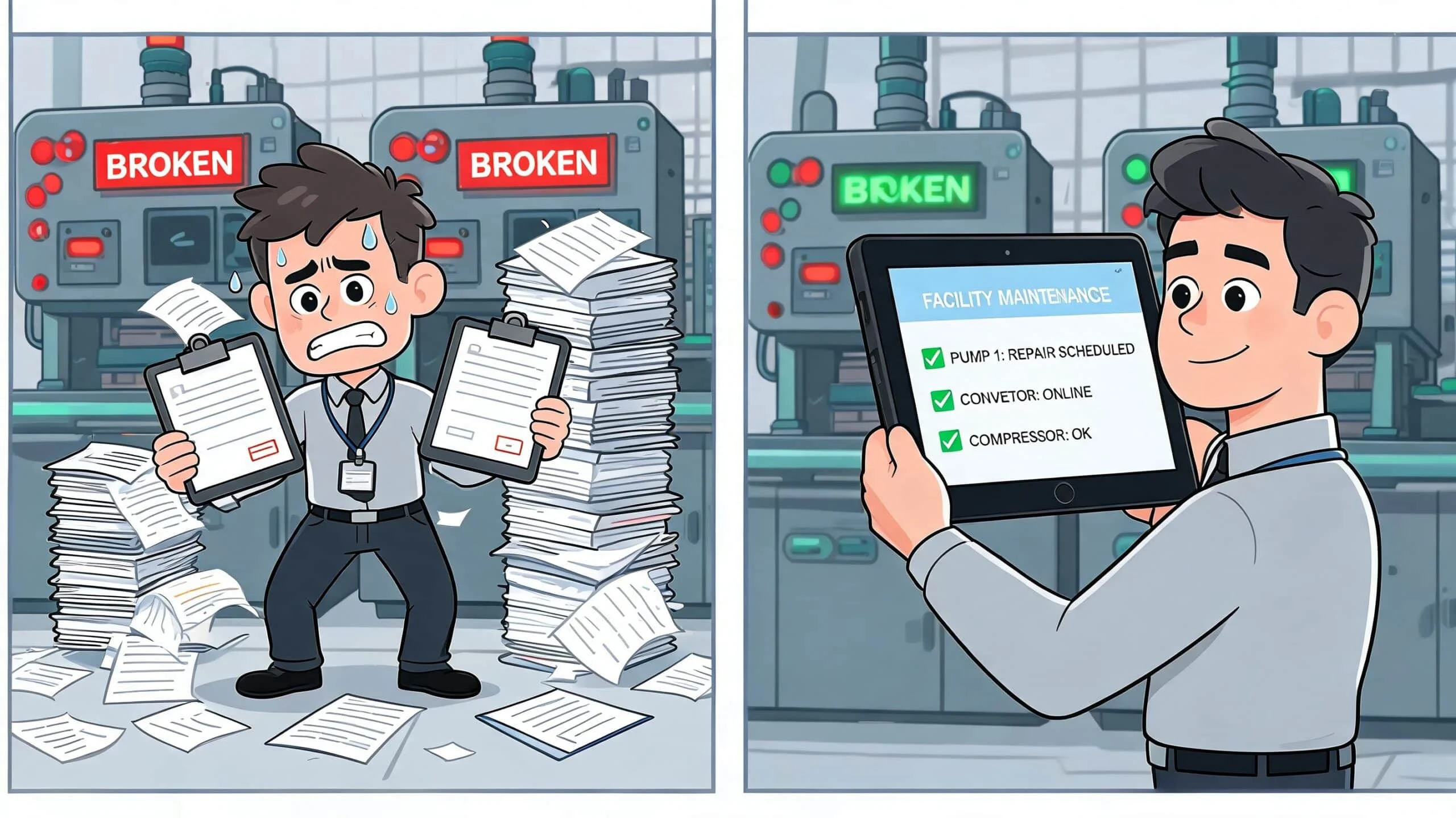
The shift to facility maintenance software is not about replacing skilled trades with a dashboard. It is about giving skilled people better information, faster handoffs, and a reliable maintenance record. For a warehouse team, that can mean knowing which dock leveler has repeated hydraulic issues. For a manufacturing plant, it can mean scheduling service on a high-speed door before it starts affecting traffic flow and environmental separation.
The operational case is strong. Data from the Canadian Facility Management Association 2025 Benchmarking Report shows that organisations implementing top-rated CMMS platforms reduced emergency repair costs by 70-85% and shifted 60% of work to planned preventive tasks. For warehouse and distribution centres, which account for 42% of Canada's commercial maintenance market, software integration has led to 25-35% overall cost reductions (CFMA benchmarking summary).
Practical rule: If a system doesn't help your team prevent the next failure, it's just a digital filing cabinet.
The best facility maintenance software creates control where clipboards and scattered files create delay. It tells you what asset failed, what was done last time, what parts were used, who is qualified to perform the work, and whether the problem is isolated or recurring.
That matters for repairs, but it matters even more for audit trails. Teams that are reviewing software often benefit from seeing how digital records support compliance. A useful example is managing audit readiness with AuditReady, especially when documentation quality is part of the buying decision.
Quick comparison of what good software changes
| Operational area | Reactive approach | Software-led approach |
|---|---|---|
| Work orders | Phone calls, emails, handwritten notes | Centralised request, assignment, and close-out |
| Asset history | Hard to find, incomplete | Stored by asset with service history attached |
| Preventive work | Often delayed | Scheduled and visible in one queue |
| Parts tracking | Guesswork and rush orders | Linked to jobs and planned service |
| Compliance records | Chased after the fact | Logged as work is completed |
| Multi-site visibility | Fragmented by site | Shared view across locations |
Core Features That Drive Facility Performance
The best facility maintenance software is not defined by how many menus it has. It is defined by whether your team can use it quickly during a busy day. If a technician standing beside a failed operator or damaged door track can't open the record, update the status, and attach a photo in seconds, the software will struggle in the field.
Work order control
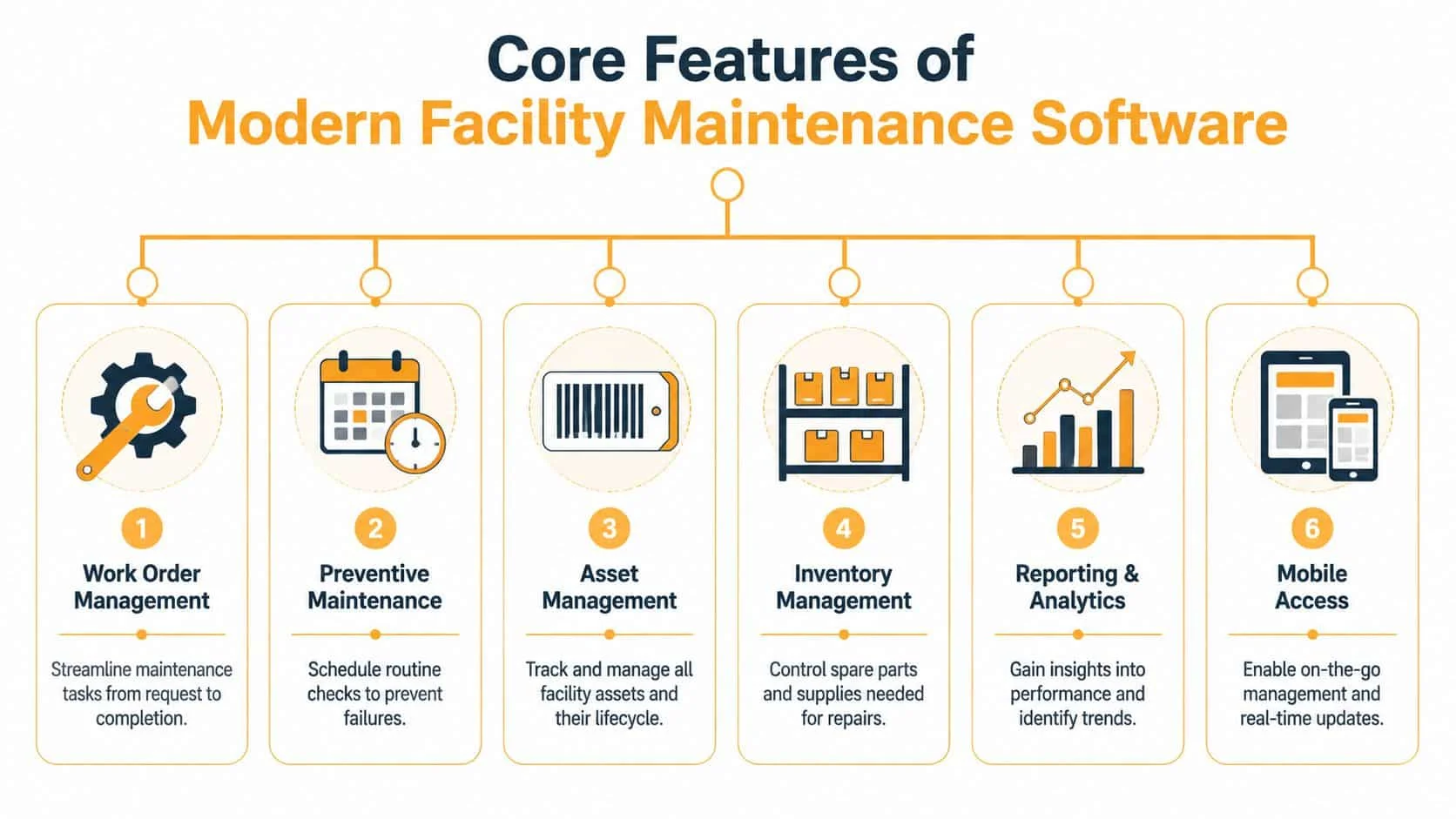
Work order management is the operational core. It handles the full path from request to completion. A good system captures the issue, sets priority, assigns the task, records labour and parts, and closes the job with notes and photos.
That sounds basic. It is not. Many teams still lose time because requests arrive through too many channels. A leaking dock shelter comes in by email. A damaged bollard gets texted to a supervisor. A door safety edge issue gets called in verbally. The result is inconsistent records and work that can disappear between shifts.
If you want a plain-language example of what structured digital workflows look like, this overview of an automated work order tracking system is useful because it shows how request flow, status tracking, and maintenance records fit together in one process.
Preventive scheduling and asset records
Preventive maintenance means planned service before failure. In simple language, it is calendar-based or condition-based work that reduces surprises. For facility assets, that may include lubrication, spring inspection, sensor checks, fire door drop testing coordination, dock leveler inspection, or checking wear on high-cycle components.
Asset management means each piece of equipment gets a digital identity. That record should include location, model, service history, manuals, recurring issues, and ideally photos. For a large site, that turns vague labels like “north dock door” into specific, trackable assets.
One of the easiest ways to spot weak software is to ask how fast a new technician can find the maintenance history for a single door, leveler, or operator. If it takes more than a few taps, adoption usually slips.
Mobile access, inventory, and reporting
Mobile access matters because maintenance happens in mechanical rooms, loading bays, rooftops, and service corridors, not at desks. Technicians need to update jobs where the work is happening.
Inventory management is often underestimated. It tracks the parts your team relies on, such as rollers, hinges, photo eyes, seals, controls, and hydraulic components. Without it, planned maintenance still gets delayed because the right part is missing.
Reporting and analytics should answer operational questions without forcing managers into spreadsheet cleanup. Which doors create the most repeat calls? Which sites defer preventive work? Which assets are becoming candidates for replacement instead of repair?
Integrations that actually matter
Integration is not an IT luxury. It is what lets maintenance data connect to the rest of the building. Best-in-class solutions prioritise direct integration with existing building infrastructure, connecting directly with Building Management Systems, SCADA systems, and Programmable Logic Controllers. This interoperability is essential for providing 360-degree operational visibility across assets, work orders, and preventive maintenance tracking (integration and interoperability overview).
For non-experts, those systems are the digital controls already running major building functions and equipment logic. If your maintenance platform can't communicate with the systems your facility already depends on, staff end up re-entering information manually.
The features that usually separate strong platforms from weak ones
- Fast field updates: Technicians can open, update, and close jobs on a mobile device without hunting through screens.
- Useful asset hierarchy: Equipment is organised by site, building, area, and asset so records stay clear.
- Flexible PM triggers: The system supports routine service schedules that match how your facility operates.
- Clean attachments: Photos, manuals, inspection forms, and completion notes stay attached to the work order.
- Practical dashboards: Managers can see backlog, open risks, recurring failures, and due work at a glance.
Software names matter less than fit. MaintainX, Fiix, Limble, and eMaint can all be viable options. The right choice depends on your assets, your workflow discipline, and how much complexity your team can realistically absorb.
How to Choose The Right Software For Your Facility
Selecting software without first defining your operating reality is where many processes go wrong. Even the cleanest demo often loses value in practice if it cannot handle multiple buildings, contractor workflows, or the compliance records your team needs under pressure.
Start with scale and complexity
A single-site warehouse has different needs than a national property portfolio. So does a plant with a few critical production lines compared with a campus of mixed-use buildings.
Ask direct questions:
- How many sites matter right now: Not in theory, but in the next operational phase.
- How many asset types need records: Doors, docks, HVAC, generators, access control, conveyors, compressors.
- Who touches the system: In-house technicians, supervisors, contractors, property managers, safety leads.
- What breaks if data stays siloed: Billing, approvals, inspections, or service dispatch.
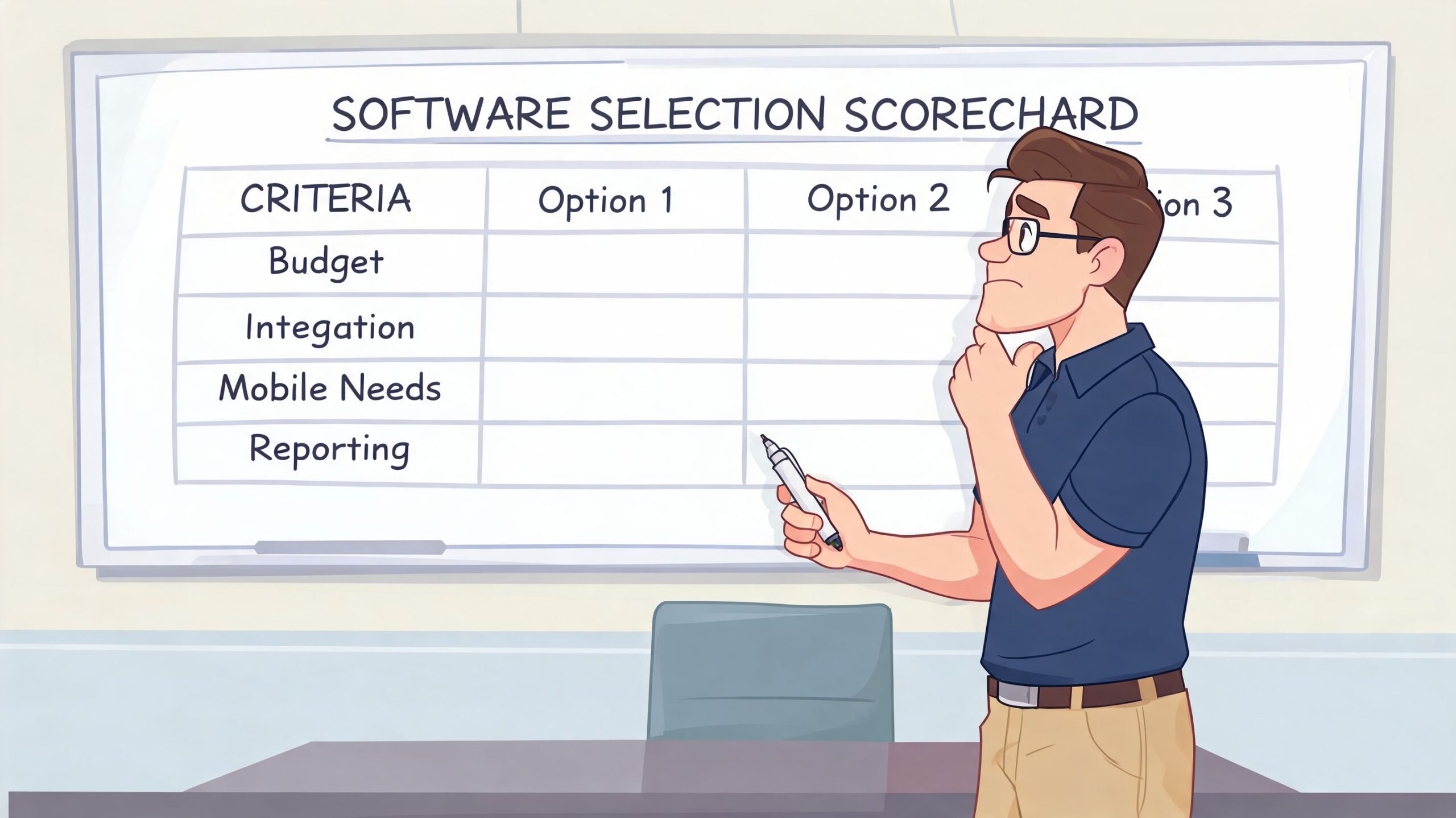
A strong buyer scorecard gives heavier weight to the problems that create delay. If contractor coordination is messy, score vendor access higher. If recurring door failures are the issue, score asset history and repeat-fault visibility higher.
Compliance is not optional
In regulated environments, software needs to preserve evidence, not just tasks. That includes inspection records, technician notes, photos, completion dates, and any approvals connected to the work.
Facilities with fire doors, controlled access, food production requirements, or government oversight should test how audit trails work before they get impressed by dashboards. Can the system show who completed the task, what they did, and what record was attached? Can it retain that history in a way your operations team can retrieve later?
The safest buying decision usually comes from asking, “What proof will we need six months after the job is done?”
For teams looking beyond traditional maintenance workflows, especially where field data collection overlaps with large sites and remote assets, it can help to review adjacent categories such as drone fleet and field service tools. The point is not to buy a drone platform. It is to see how field-first software handles dispatch, documentation, and operational visibility.
Match the software to your uptime risk
Some buildings can absorb a delay. Others cannot. A failed door at a lightly used service entrance is inconvenient. A failed high-speed door between controlled production zones or a disabled truck restraint at a busy shipping door has immediate consequences.
Your scorecard should reflect that. Consider these three practical buckets:
| Uptime requirement | What software must do well | Typical examples |
|---|---|---|
| Moderate | Organise requests and service history | Office and mixed commercial sites |
| High | Drive preventive work and fast mobile updates | Warehouses and busy distribution centres |
| Critical | Support strict records, escalation, and integration | Manufacturing, airports, government, healthcare |
A short vendor video can help your team align on what to test in a trial environment:
Don't ask which platform is best in the abstract. Ask which one best fits the pace, risk, and record-keeping burden of your facility.
Software In Action Use Cases For Your Industry
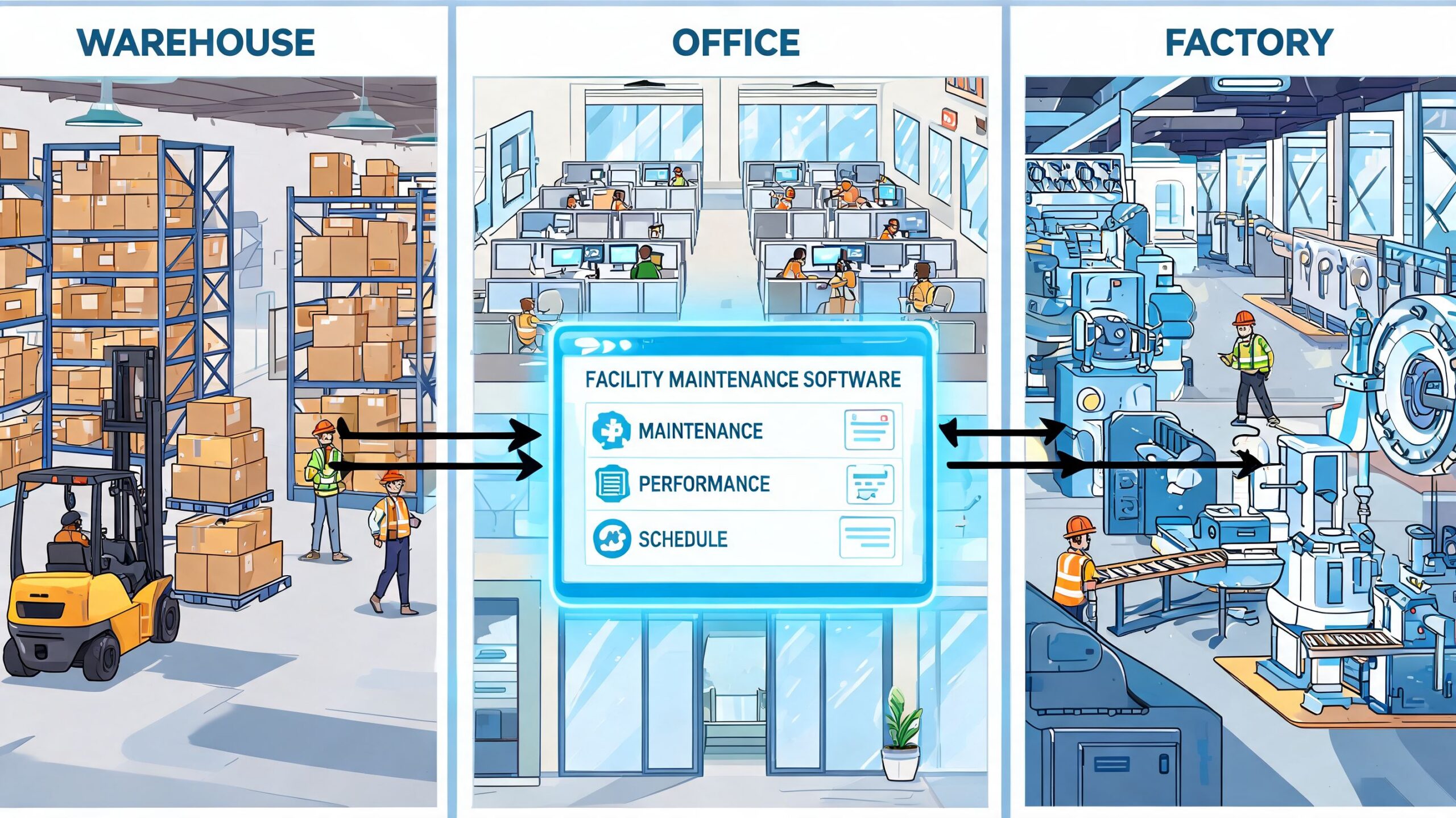
A good CMMS looks different when it meets a real facility. The practical test is whether the software helps people maintain the assets that move products, protect openings, and keep tenants or production teams operating without friction.
Warehouse and distribution
In a warehouse, the software needs to serve throughput. That means loading dock equipment cannot be treated like background infrastructure. Each dock leveler, truck restraint, sectional door, operator, and seal should be tracked as an asset with its own service history.
A strong setup usually includes preventive tasks tied to wear points and safety checks. It also lets supervisors see recurring failures by opening. If door 12 keeps generating impact repairs or operator faults, the system should make that pattern visible.
For warehouse teams, the best facility maintenance software is often the one that helps answer three questions quickly:
- Which opening is down right now
- Has this problem happened before
- Do we repair again or plan replacement
Manufacturing and industrial plants
Manufacturing teams care less about software elegance and more about production protection. A failed high-speed door can disrupt traffic, temperature separation, hygiene control, or line flow. A missed service window on a related asset can trigger downtime well beyond the maintenance event itself.
That is why planned work matters more in plant environments. The software should support maintenance windows, job plans, and clear lockout or access notes where applicable. It should also make it easy to connect assets to production areas so supervisors can prioritise correctly.
In plants, the most valuable maintenance record is often not the repair note. It is the repeat pattern that shows a failure was preventable.
Commercial property management
Property managers need consistency across buildings. The challenge is not just equipment. It is coordination. Requests come from tenants, site staff, and vendors. Access must be controlled. Documentation must be retained. Service standards need to remain steady even when sites differ.
The software should make it easy to organise by property, building system, and contractor. It should also support approval paths without burying urgent issues in admin steps. For pedestrian doors, security grilles, access systems, and life-safety related assets, clear documentation matters as much as response time.
A useful way to compare fit across industries is to focus on the maintenance pressure each environment creates:
| Industry | High-value software capability | Why it matters |
|---|---|---|
| Warehouse | Asset tracking by opening and dock position | Protects shipping flow and safety |
| Manufacturing | Planned maintenance tied to production areas | Reduces disruption to output and environmental control |
| Property management | Multi-site work order visibility and documentation | Supports service consistency and compliance records |
The point is simple. The same platform can look strong in a demo and weak in the field if it was built around office workflows instead of critical physical assets.
Calculating The Real Return On Your Investment
Software pricing is only one line item. The primary financial question is whether the system reduces expensive failure patterns and gives your team a more controlled maintenance operation.
Start with total cost of ownership. That includes licensing, setup, training, data migration, and any integration work needed to fit your building systems or reporting requirements. If a platform looks affordable but takes months of configuration and heavy admin effort to maintain, its real cost is higher than the quote suggests.
The return side is more compelling when you tie it to operational outcomes. A study by the Building Owners and Managers Association Canada found that facilities using CMMS software achieved a 28% reduction in unplanned downtime and 22% lower maintenance costs, and 65% of surveyed property managers in Ontario and British Columbia reported full ROI within 12-18 months (BOMA Canada results summary).
A practical way to build the business case
Use your own maintenance records and estimate value in four buckets:
- Reduced disruption costs: Fewer emergency failures affecting shipping, production, access, or tenant service.
- Lower maintenance spend: Less reactive callout work, fewer duplicated visits, and better planned parts usage.
- Longer asset life: More consistent service on doors, dock equipment, operators, and related systems.
- Better compliance records: Less time chasing documents and less risk tied to incomplete inspection history.
A simple internal model can be enough. Compare your current emergency repair pattern against what planned work could prevent. Then add labour efficiency from better work order handling and cleaner service history.
Don't ignore the repair versus replace decision
One of the most useful outputs from a maintenance platform is trend visibility. If the same high-speed door is repeatedly taking service calls, the software helps you quantify whether continued repairs still make sense.
That is where lifecycle thinking becomes practical. Teams that want to sharpen that discussion can use this guide on reducing total cost of ownership to connect maintenance decisions with longer-term equipment value.
A subscription fee is easy to debate. Repeated avoidable downtime is usually far more expensive, but it often stays hidden because the cost is spread across labour, delays, and lost operational capacity.
When leadership asks for the financial rationale, lead with avoided disruption, better planning, and a clearer replacement strategy. That is where the investment case usually becomes obvious.
Your Vendor Evaluation and Questions Checklist
The strongest buying teams don't let vendors control the evaluation. They use a checklist, test specific workflows, and ask questions tied to their own facility realities. That is especially important when your critical assets include dock equipment, overhead doors, operators, and life-safety related openings.
Technical questions to ask
Start with the field experience. If the mobile app is weak, the rest usually follows.
- How does the app work in poor connectivity: Large warehouses, basements, service corridors, and plant rooms often have weak signal.
- Can we organise assets by site, area, and opening: You need more than a flat list if multiple doors or dock positions share similar names.
- What integrations are practical today: Ask specifically about building systems, controls, and any existing platforms you already rely on.
- Can technicians attach photos, manuals, and checklists directly to jobs: If not, records will drift back into email and shared folders.
Implementation and support questions
A platform can look strong in a pilot and still fail during rollout if onboarding is vague.
Ask these next:
- What does implementation require from our team
- Who handles data migration for current asset lists and maintenance history
- How are users trained by role
- What support hours are available when an operational issue affects adoption
- What does a normal go-live timeline look like for a facility like ours
This is also the stage where you should ask for workflows that match your environment, not generic demos. If your team relies on outside trades for specialist repairs, ask to see a contractor workflow. If you manage many openings across a site, ask to see asset tagging and recurring PM scheduling in action.
Partnership and long-term fit
Vendor fit is not only about software. It is about whether the company understands maintenance operations well enough to support change over time.
Use questions such as these:
| Category | Questions worth asking |
|---|---|
| Product maturity | What functions are native versus dependent on add-ons or custom work |
| Industry fit | Can you show examples relevant to industrial, warehouse, or multi-site property operations |
| Compliance support | How do audit trails, attachments, and completion records work in practice |
| Change management | What usually causes adoption to stall, and how do you address it |
| Product roadmap | Which improvements are already planned for mobile, reporting, or integrations |
One more practical test. Ask the vendor to walk through a full scenario. For example: a damaged dock leveler is reported, a technician is assigned, parts are needed, a follow-up inspection is scheduled, and management wants a complete record afterward. If the workflow breaks down in the demo, it will break down faster on site.
Teams that are evaluating service coordination alongside software should also keep their field support standards clear. If your operation depends on reliable response for critical openings, it helps to benchmark that expectation against experienced providers in commercial and industrial door repair services.
Your Next Step Toward Proactive Maintenance
The best facility maintenance software does not win because it has the longest feature list. It wins because it matches the way your facility operates. It supports the assets that create uptime, the records that support compliance, and the technicians who need fast, usable tools in the field.
The decision becomes clearer when organizations stop thinking like software buyers and start thinking like asset operators. Which openings fail most often? Where does documentation fall apart? Which preventive tasks keep getting delayed? Those are the questions that point to the right system.
Software can organise the work. It cannot replace the work itself. Facilities still need experienced technicians, sound preventive planning, and a clear service strategy around critical assets. If you are tightening your maintenance approach before winter, a planned service baseline is often the right place to start. This guide to a planned maintenance programme for winter readiness is a practical next step.
When you're ready to connect software strategy with reliable field execution, contact Wilcox Door Service Inc.. Their team supports commercial and industrial facilities across Canada with planned maintenance, emergency repair, inspections, and upgrades for doors, docks, and access systems. It's a practical way to move toward fewer disruptions, better records, and the standard behind their brand promise: Respected Partners, Reliable Service.